Handmaking a faux ceramic bell
September 20, 2025Three years ago, Tom Scott introduced me to Florian Gadsby, and I’ve been subscribed to his channel ever since.
As I’m leaning more and more into arts and crafts instead of tech, something I’ve really grown a liking to is watching the pottery videos.
I love how the glazes turn the pots into these amazing sculptures to look at.
I also love how you can design the object using just your hands and some tools.
As I don’t have access to all that fancy pottery equipment and don’t really like getting dirt under my fingernails,
pottery is still very much out of reach for me.
However, I’ve learned that you should never let yourself be limited by the materials or machines available to you,
so let me show you how I made a fake cermamic Buergel-inspired bell using my 3D-printer and acrylic paint.
Buergel
I’ve grown up around a lot of Buergel ceramic pots, cups - you name it.
Especially the dark blue ones with white dotted patterns on them.
Having the ability to look at them served as a great piece of inspiration and reference
on how to place the dots and which colours to choose.
I also knew that I would find a place for the object I would end up making,
assuming it would turn out well.
Making a model
When I make something new, something I’ve never attempted before, I like starting with something simple,
something I can use to practice.
In my case, I decided on making a small bell.
As I don’t have access to a physical model, I went online to look at some reference images,
and luckily found an archive listing for an old Buergel auction, which has a bell with a shape vaguely resembling what I was going for.
I imported the reference image into Inkscape and attempted to trace the bell shape but quickly gave up, because the perspective wasn’t quite right. Instead, I just freehanded it until I was vaguely happy.
To make a 3D model out of it, I imported the SVG into OpenSCAD, which allowed me to easily extrude the path by rotating it.
This also provided me with a great way to preview the final shape of the bell and highlighted areas that needed adjustment.
I ended up making the bell quite a bit taller and a little slimmer than I originally planned,
but I moved it around until the weight distribution felt right.
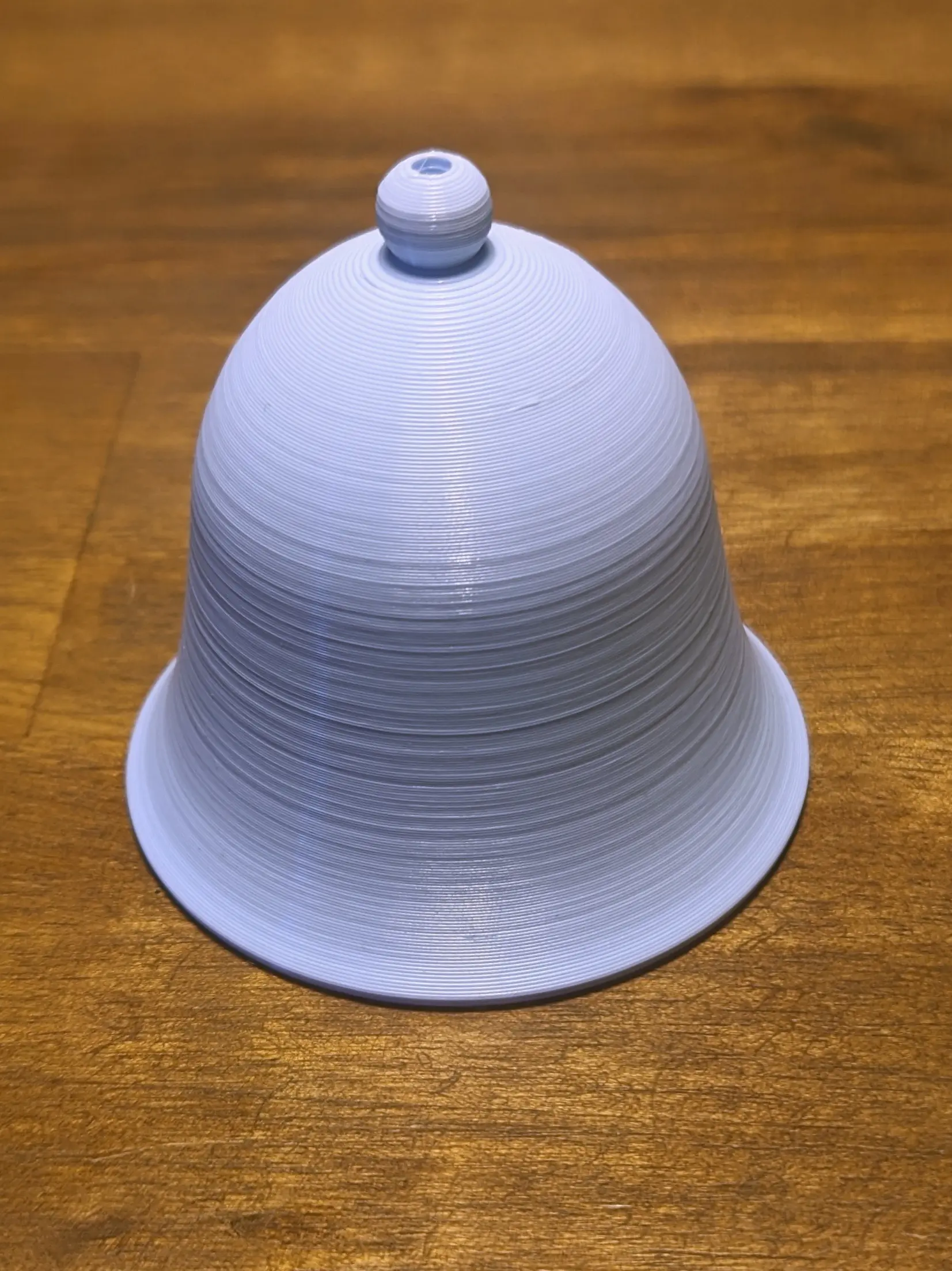
Afterwards, I just printed the STL using some PLA I had lying around.
Luckily the model doesn’t require support material, which would have been a pain to remove.
I did, however, end up printing it with a brim to make sure the thin lower part stayed connected to the print bed.
Materials
This project covers both painting and 3D printing, but if you would still like to follow along, this is what you’ll need:
- Printed 3D model (links at the bottom of the post)
- Sandpaper
- Instant glue (with thin/detailed dispenser)
- Painting supplies
- Acrylic Paint: White, Black, Thalo Blue, Yellow Ocre
- Glossy spray paint
- Pencil
- Jute Twine
- Blue/Navy Wooden Bead
Painting
🔵 Note
I learned quite a bit since making the first bell and actually ended up making a second one with a slightly altered process based on what I learned.
However, I only have pictures of the first time.
I decided to match them to the steps being discussed, which means some steps might appear out of order.
Base Coat
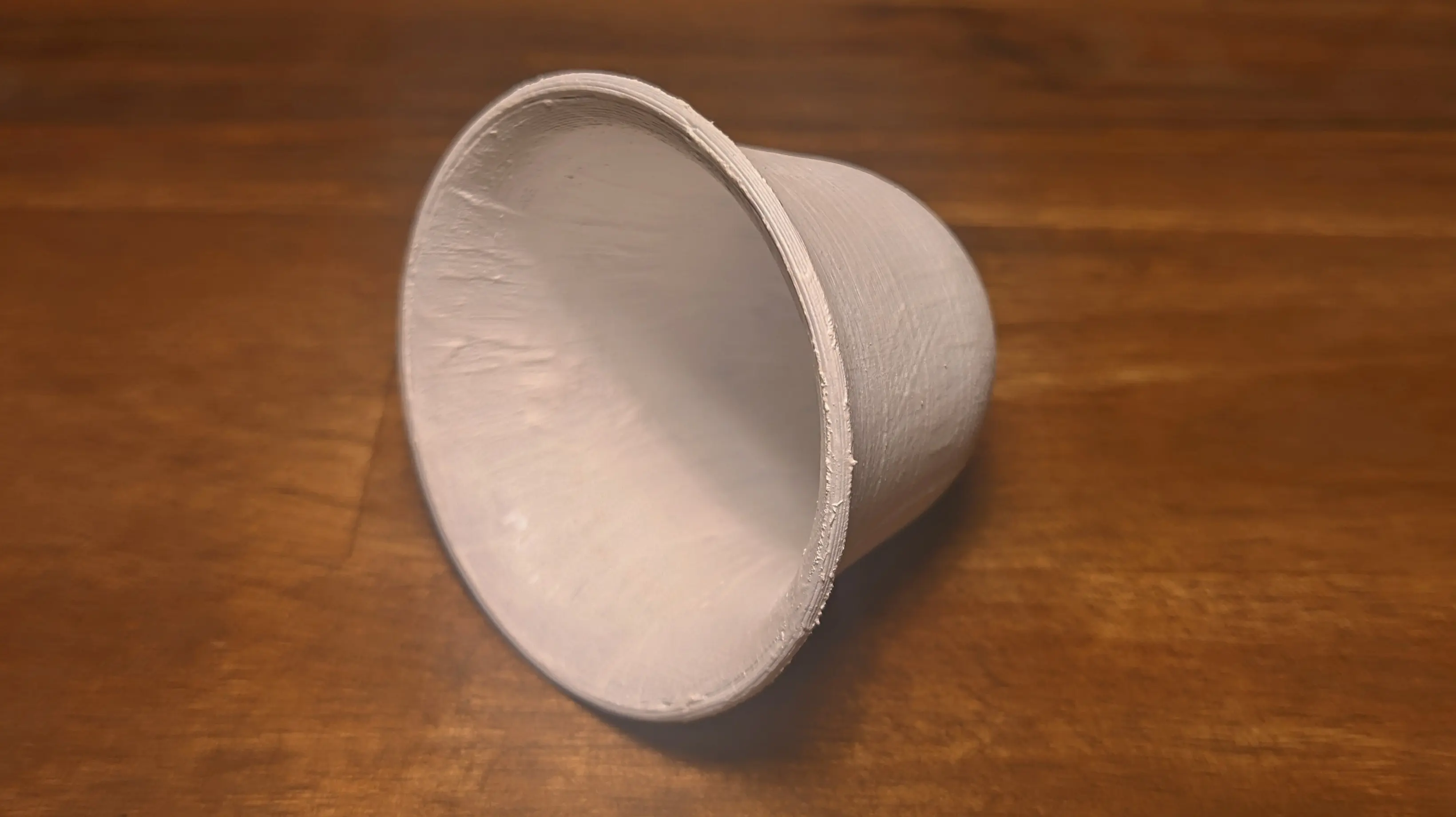
Before we can paint the bell, quickly sand the inside and outside using 120 grit sandpaper.
I’m not sure if it is actually necessary, but it should help the paint stick to the plastic.
To hide the color of the original printed model and to even out the layer lines,
we’ll be giving the model a total of three white coats, before we apply the proper color.
To start off, apply a single white coat to both the inside and outside.
You’ll probably still be able to see quite a bit of the plastic through this coat once it is dried,
but it should give us a great base for the next step.
(You’ll want to leave the parts to dry for at least an hour if not longer.)
I’m not sure if it comes across in the reference image I linked to above, but something that stands out when looking at Buergel products in real life is the white dots.
Especially the fact they are slightly raised to create small bumps in the glaze.
I initially thought about adding these to the 3D model itself so that I wouldn’t have to add them later,
but I wasn’t quite happy with my Blender sculpting results.
Instead, we’ll be using instant glue to slightly raise the surface in some areas.
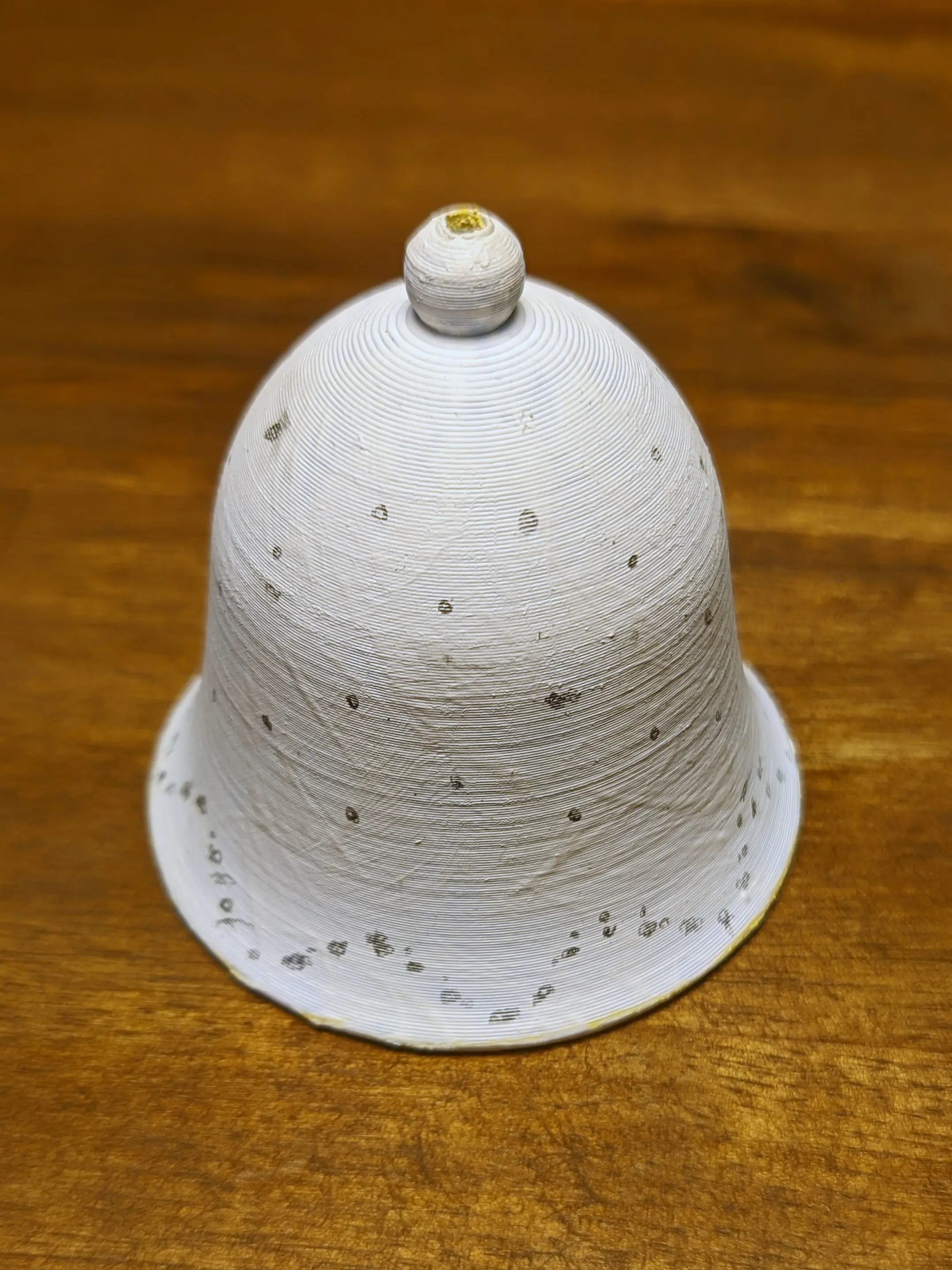
But before we can do so, we’ll have to mark out the points: I’ll be using a pencil for this, as it doesn’t mess with our base coat
and will easily be covered by the other coats.
It also allows me to quickly erase or smudge marks I’m not happy with.
From looking at the reference image, I estimated that there are 8 groups of three points with pairs of two points between them,
placed somewhere along the upper convex section.
You can use the layer lines as horizontal reference guides and start estimating halves, quarters, and eighths starting from the seam line.
With the upper details marked, I focused on the lower pattern.
Again, based on the reference image, we can tell that the wave pattern has its maximum and minimum slightly offset from the groups at the top.
But it always follows the same pattern: it reaches the maximum near the group of three and the minimum near the group of two.
With two dots to transition from minimum to maximum.
To raise the surface in the marked areas, you want to carefully apply a small drop of instant glue.
Mine settles as it cures, making the dots wider and flatter than they seem at first, which is exactly what we want.
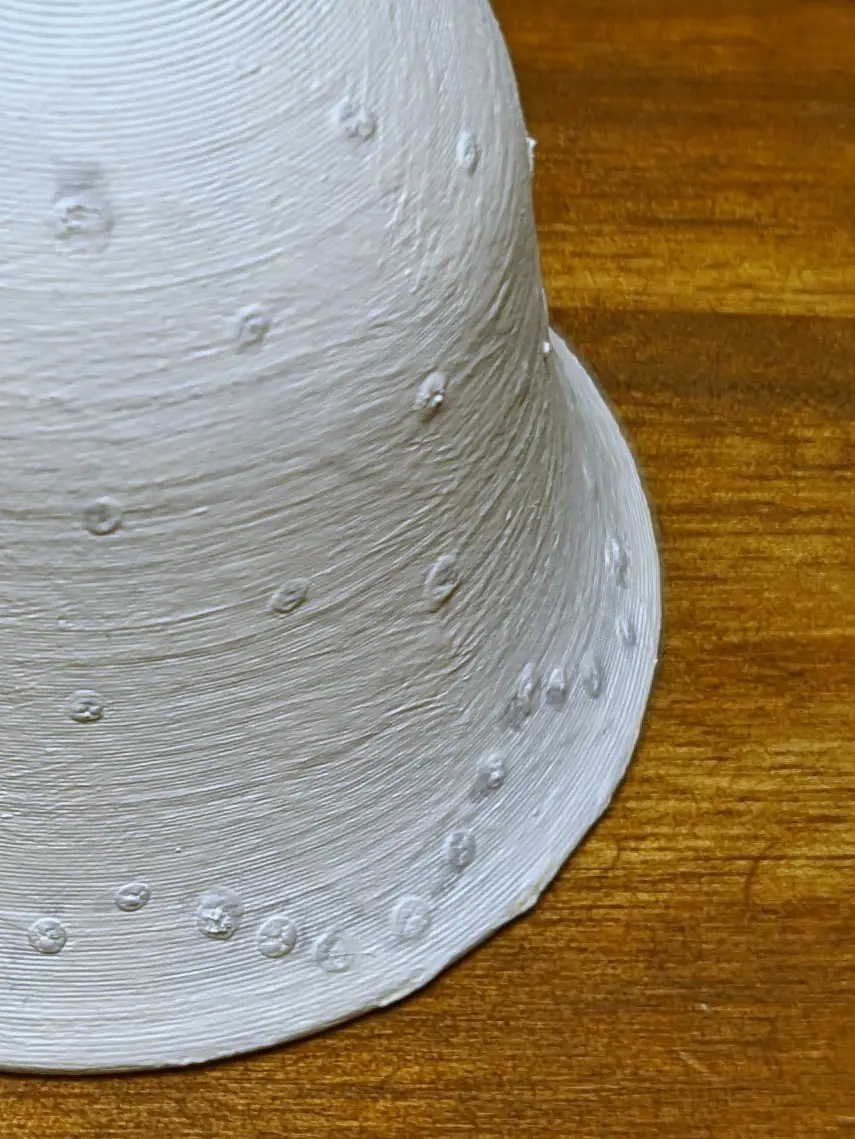
When the glue is set, you can apply the two other white coats to the inside and outside, leaving it to dry in between coats.
Inside
The inside is fairly easy to do - you might even be able to get away with a single coat.
But if you want to play it safe, I would recommend applying a second one.
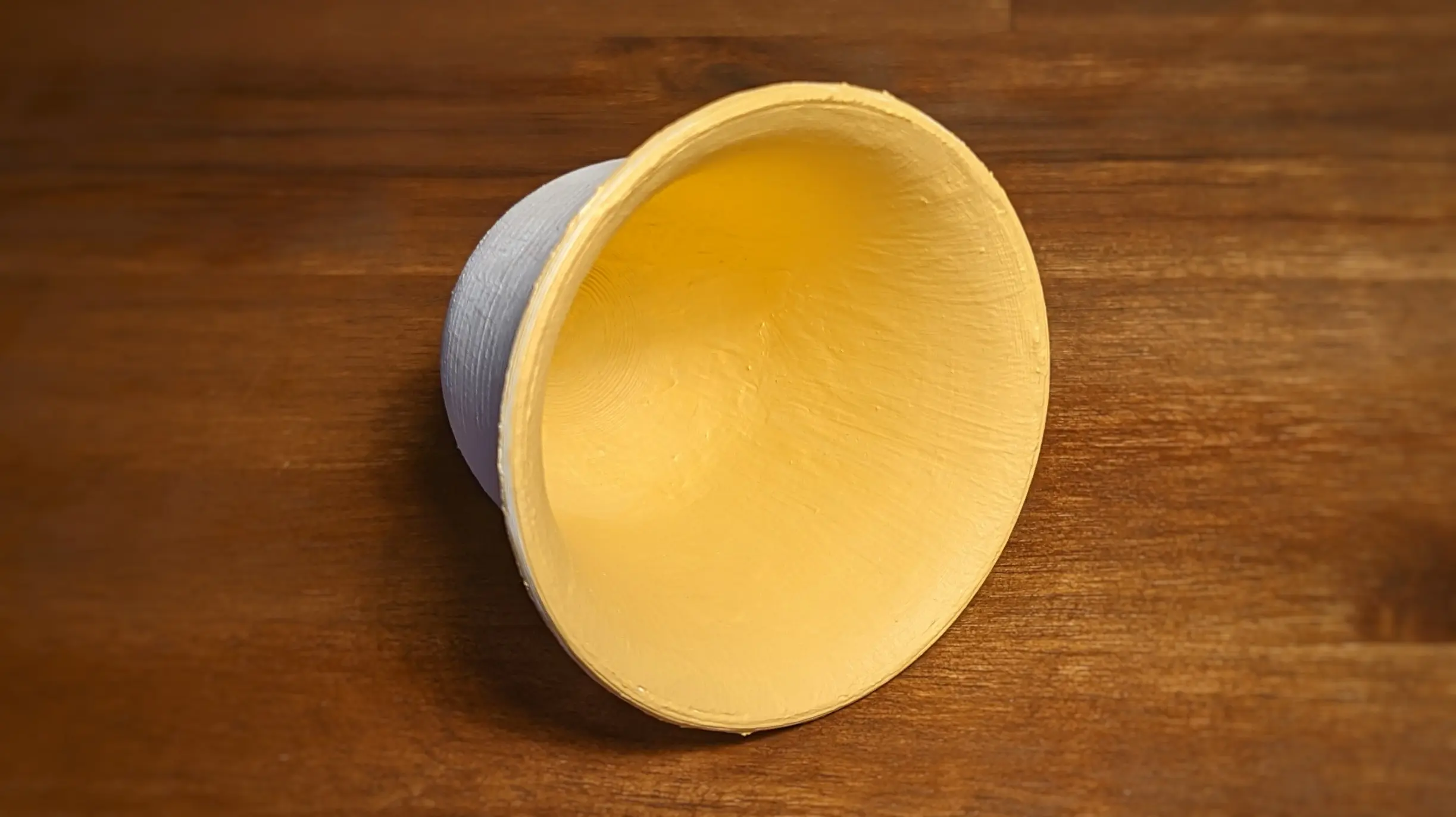
As you can probably tell from the other bowls in the reference image, we are trying to paint the inside a light sand colour,
almost off-white.
I ended up mixing yellow ochre with a lot of white to achieve a similar tone.
Looking back, I could probably have added some more white to it, as it was still quite saturated, but it looks fine.
When painting, you should also make sure not to get paint on the outside of the bell, as it might show through the blue coat on the outside.
You should try to create a sharp line at the bottom of the bell brim, though, where the inner colour transitions into the outer colour.
Outside
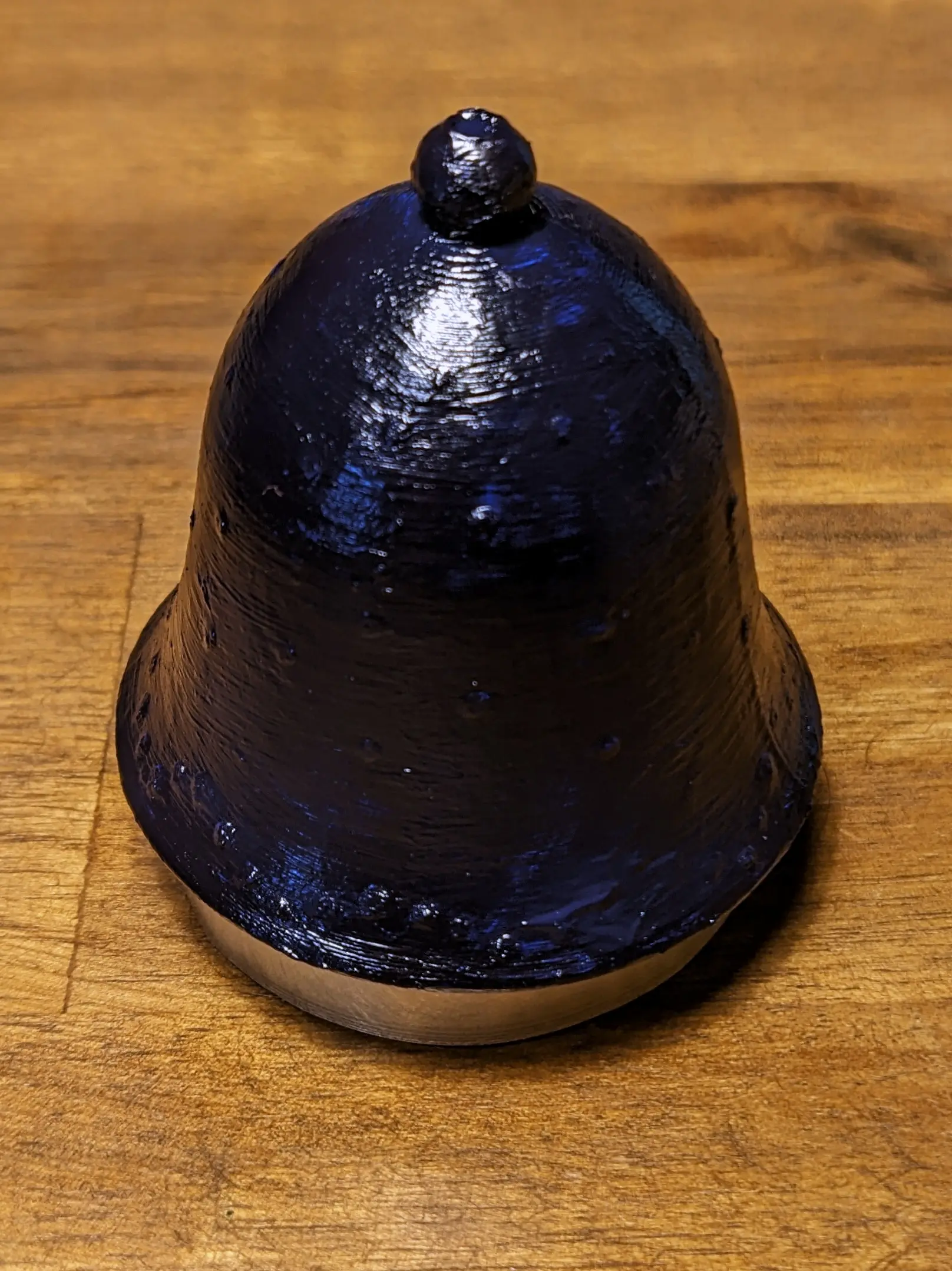
Similar to the inside, I applied two coats of paint to the outside, making sure not to get blue on the inside.
The color was achieved by mixing Thalo blue with a hint of black until I felt the colour looked similar enough.
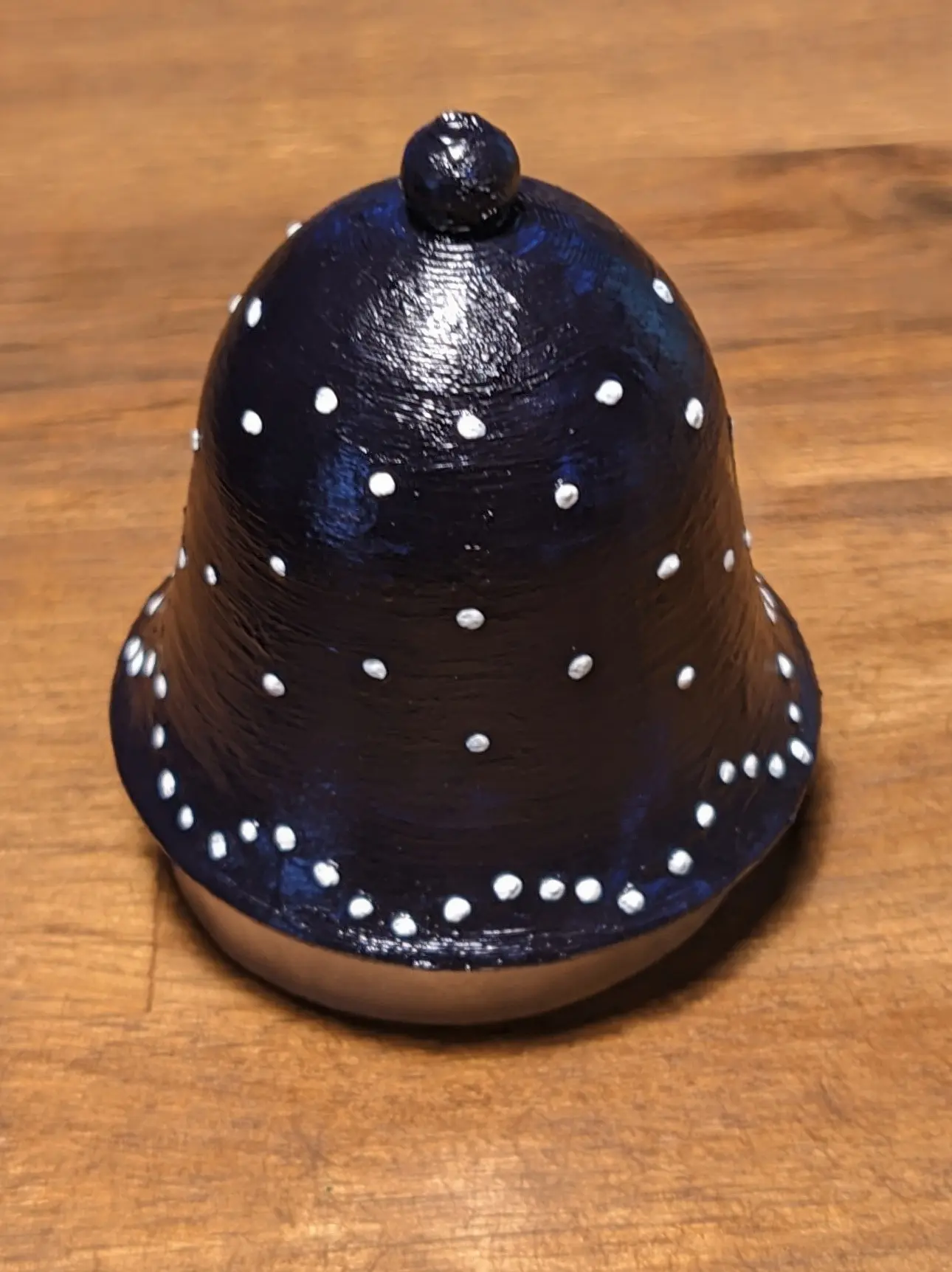
Once the blue coats are set, you can take a small paintbrush to add small white dots to the sections you raised earlier with the instant glue.
You don’t want to cover them entirely; a small circle of white on the top will do - roughly 2-3 mm in diameter.
This will make it seem like the blue glaze itself is warping itself upwards.
Top Coat
As the acrylic colours are water-based, painting on a top layer would risk ruining the paint job.
This is why I decided to go with a glossy spray paint instead.
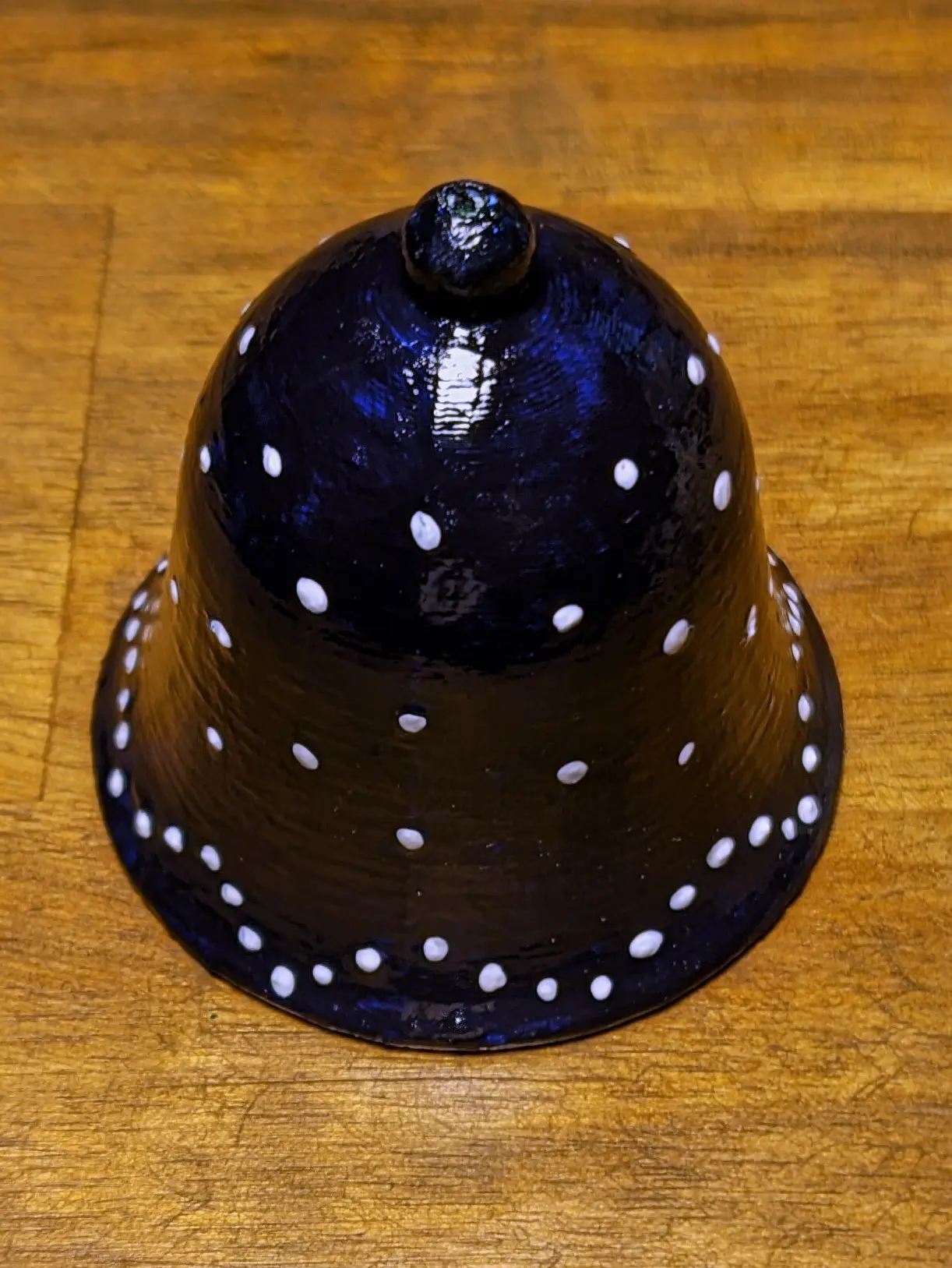
Unfortunately, the spray paint I used for the first bell wasn’t quite glossy enough, so I ended up having to use brush-on glossy paint afterwards,
which worked fine.
The second time around, I used a different spray paint, which achieved a glossier effect.
Clapper
A bell would not be a bell without being able to ring - or should I say clap, given that it is called a clapper 1?
Well, either way, you might have noticed that the bell has a hole in the top. This is for a piece of jute twine to fit through.
Start by pushing the twine through the hole.
Now add a single navy blue wooden bead on it and tie a knot at the end of it.
With the wooden bead in place, you can also tie a second knot about 4 cm from the end;
this will keep the bell at a proper distance from the bead once hung.
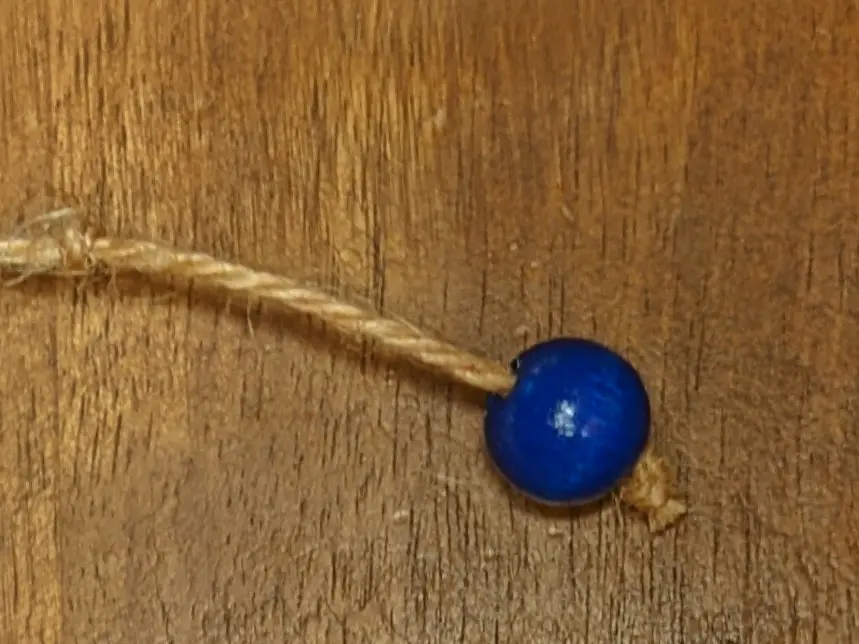
Lastly, you can cut off the twine at whatever length you want.
Results
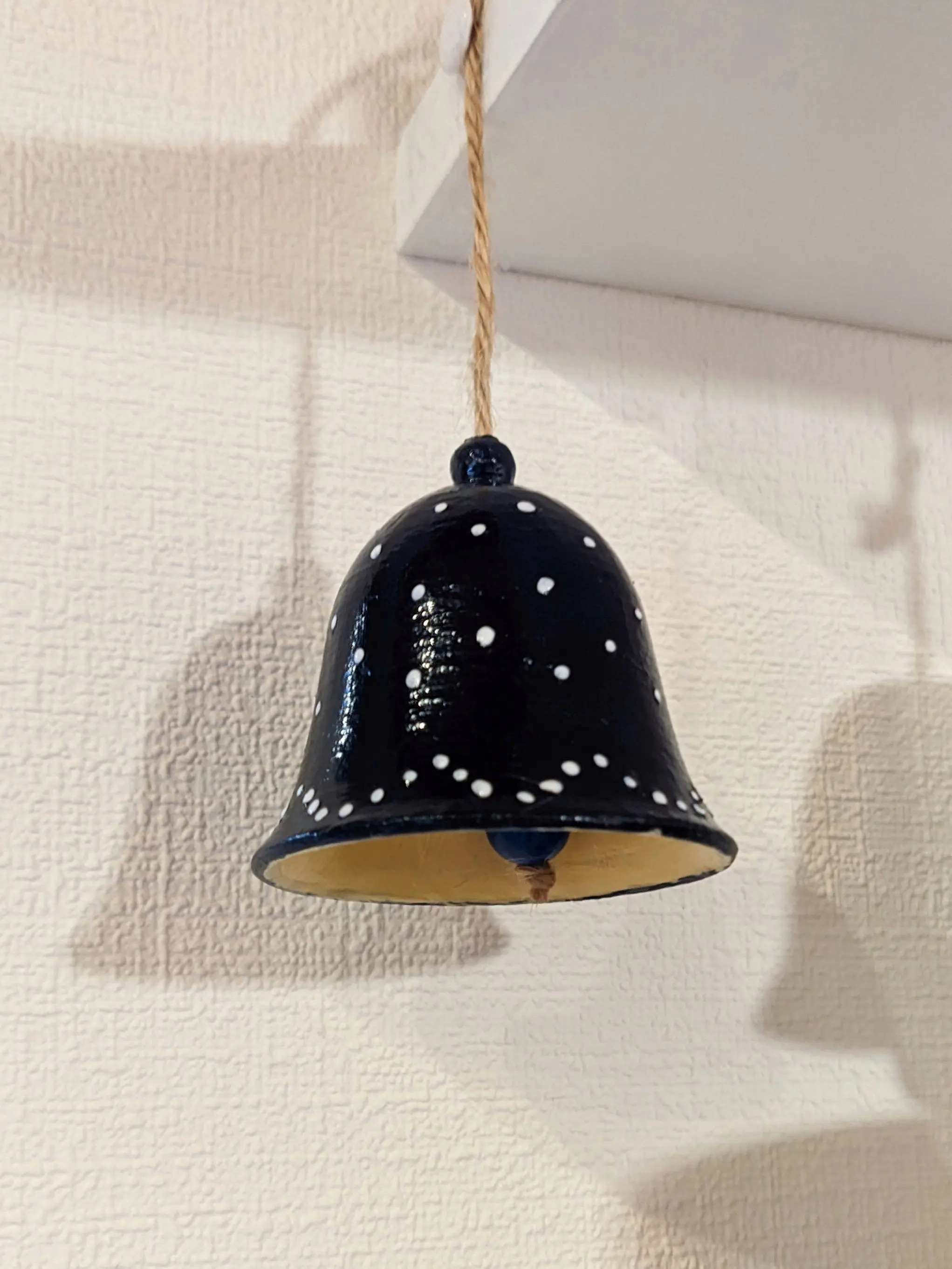
I’m genuinely impressed with how well this works.
When I started this project, I was hoping for it to be perfect, of course,
but I did not expect to be this happy with it.
Unless looking at it close up, you could not tell that it was in fact made from plastic and painted using acrylic paint.
I think I’ll almost certainly make more of this kind in the future.
Links
The model and source files are licensed under CC-BY-SA 4.0
