Iconic Ionic: Dynamic Column builder
September 16, 2024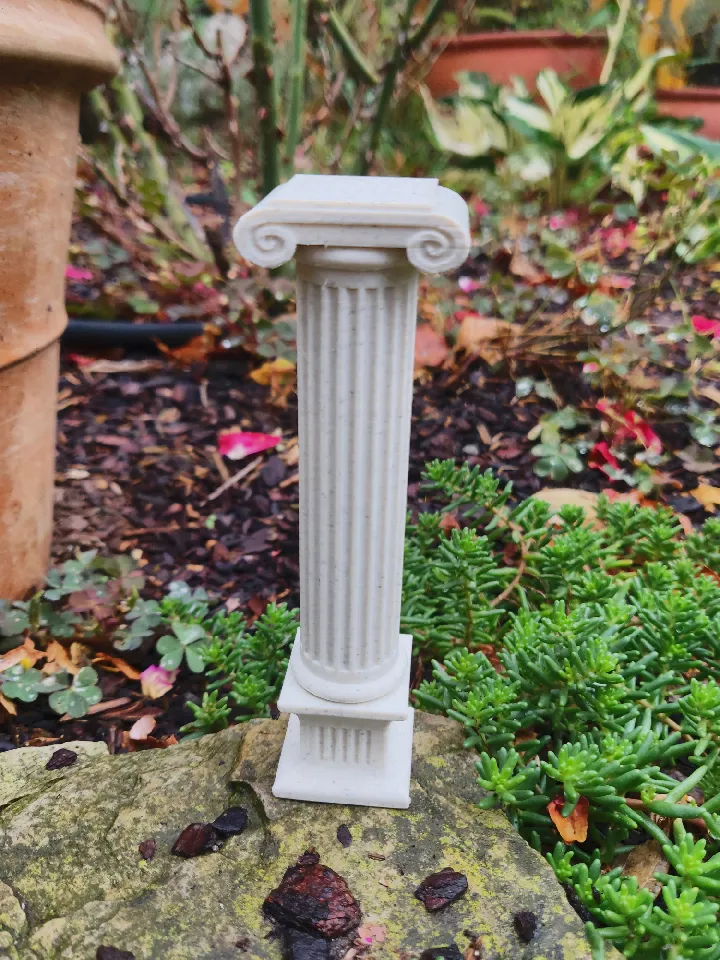
Simple, but dynamic column builder library.
Inspired by: Wikipedia Artwork and this preview.
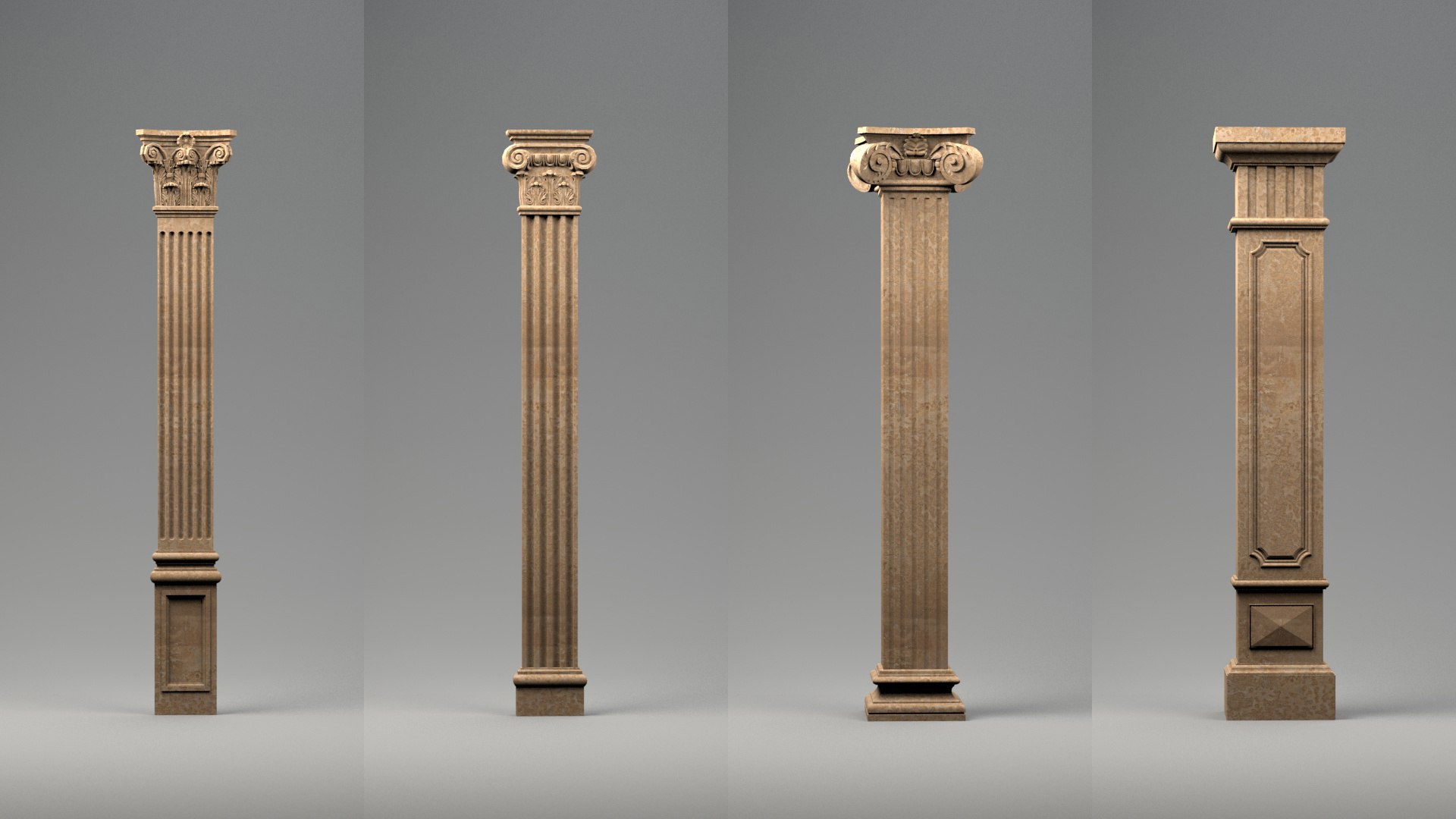
I’ve uploaded a couple ready-made column design as stl files, but you probably want to download the .scad file and open it inside OpenSCAD.
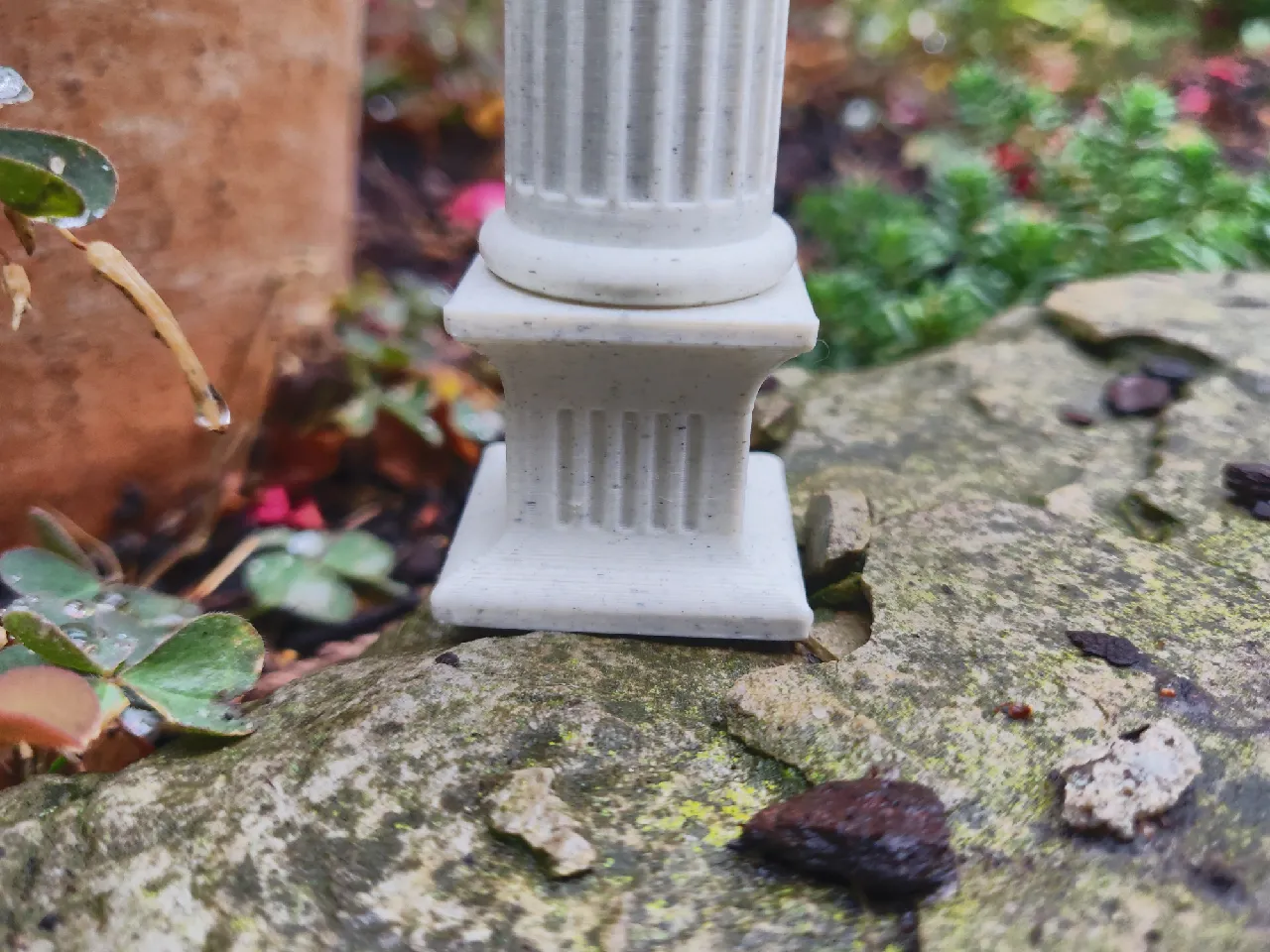
I would also recommend buying marble PLA, or similar materials if you are into that, to achieve a more convinving look.
Preface
I had a lot of fun making this library, however I’m most likely going to drop this project😭.
The way this works is that every section has a 10x10xZ area (it may overlap on the X and Y axis as well).
Each section is responsible for scaling its children (the sections on top) in a way that they align with the section itself.
Ideally, the sections would pass around x and y dimensions in mm, however because models cannot be called dynamically, the only way to do this in OpenSCAD is to use children and scale([x,y,1]).
However, this messes with dimensions, and makes it hard/impossible to create squares or proper cylinders.
In the end, this limitation kind of killed the joy for me, however by spending more time tweaking values, you can still manage to design really cool columns.
So have fun 🌸
Usage
To use this library, simply download and install OpenSCAD and open the columns.scad file.
Near the bottom of the file, you will find a section titled // BEGIN COLUMN CONFIGURATION which ends with // END COLUMN CONFIGURATION.
In-between, you can place your column definition.
As all sections are OpenSCAD modules, you define your column top down: The base is at the top and the capital at the bottom.
The modules take care of scaling the next layer to fit, so all you have to do is stack the sections you want on top of one another, and configure them to your liking.
A simple column, with a 2 mm rounded circle slab below the 40mm main shaft and a 3mm rounded circle slab stacked on top, could look like this:
rounded_circle_slab(2)
detailed_circular_section(40, 20, 0.1, round_top=true, round_bottom=false)
rounded_circle_slab(3)
Once you are done, hit F6 (or Design > Render) - this might take a while, so grab a cup of tea 🧋.
Afterwards, you can export the .stl by hitting F7 (or File > Export > Export as STL)
(Note: You might want to change base_size)
To achieve a more rounded effect, you might also want to change $fn to a value ≥30, or set it to ≤25 for a less rounded look.
Segments
This is a mostly complete list of available column sections. Have a look at the comments in the source file for more information.
Note: the preview in the following models were generated with $fn set to 10, which is why the circular sections only have 10 subsections.
square_section
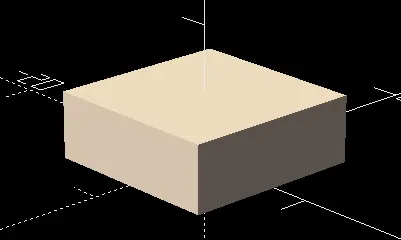
A simple cuboid section with a specific height. You can optionally pass a scale factor to the module as well.
- usage:
square_section(height, fact=1.0) - example:
square_section(5)
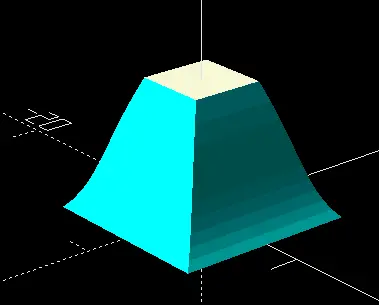
concave_bezier_square
A cuboid with its edges cut using a Bézier area
- usage:
concave_bezier_square(height, inset, angle1, angle2, attack1, attack2, step=0.1, flipped=false) - example:
concave_bezier_square(10,0.3,23,45, 1/3, 1/2)
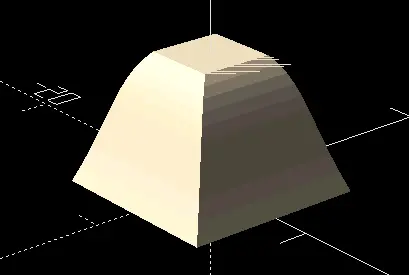
convex_bezier_square
Cuboid with its edges intersected with a Bézier area
- usage:
convex_bezier_square(height, inset, angle1, angle2, attack1, attack2, step=0.1, flipped=false)
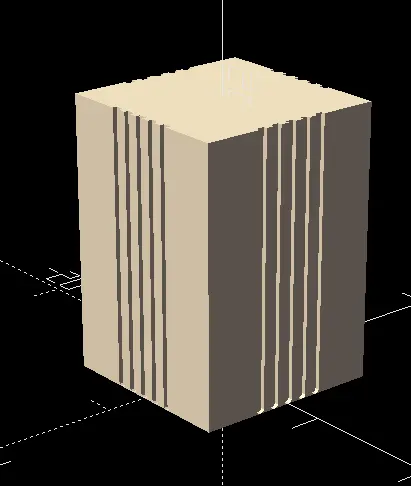
detailed_square_section
A cuboid section with details. The inset sections can either be square or circular, and can optionally be rounded on the ends.
- usage:
detailed_square_section(height, detail_type, padding, segments, round_top=false, round_bottom=false, fact=1.0) - example:
detailed_square_section(20, “square”, 0.3, 5, round_bottom=true)
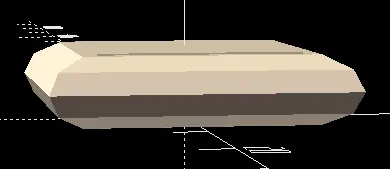
rounded_slab
A cuboid with round overhang
- usage:
rounded_slab(height) - example:
rounded_slab(5)
circular_section
Simple cylinder with the given height. You can optionally pass a scale factor to the module as well.
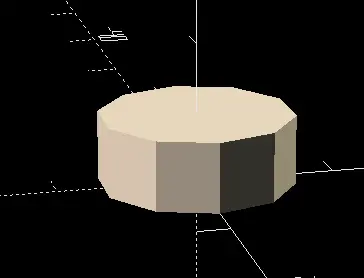
- usage:
circular_section(height, fact=1) - example:
circular_section(5)
detailed_circular_section
A cylindrical section with details
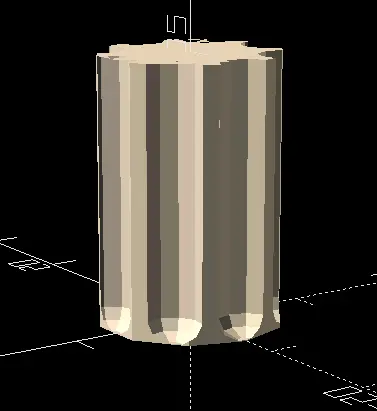
- usage:
detailed_circular_section(height, segments, detail_size, round_bottom=false, round_top=false, fact=1.0) - example:
detailed_circular_section(20, 8, 0.3, round_bottom=true)
concave_bezier_circle
A cylinder with its edges cut using a Bézier area
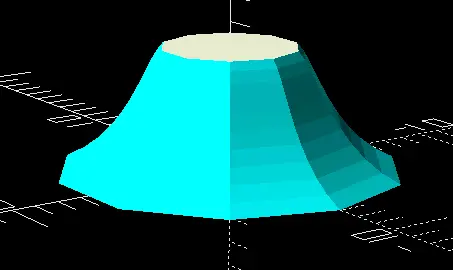
- usage:
concave_bezier_circle(height, inset, angle1, angle2, attack1, attack2, step=0.1, flipped=false) - example:
concave_bezier_circle(5,0.3,20,40,1/2,1/5)
convex_bezier_circle
A cylinder with its edges intersected with a Bézier area
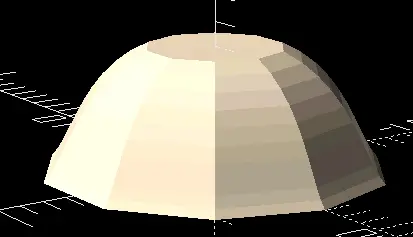
- usage:
convex_bezier_circle(height, inset, angle1, angle2, attack1, attack2, step=0.1, flipped=false)
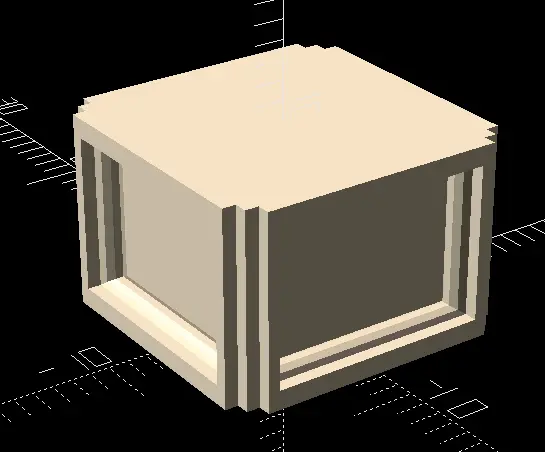
inset_square_section
Cuboid section with extending sections
- usage:
inset_square_section(height, margin, outline, inset, extrude) - example:
inset_square_section(10, [0.05, 0.5], [0.1, 1], 0.1, 0.1)
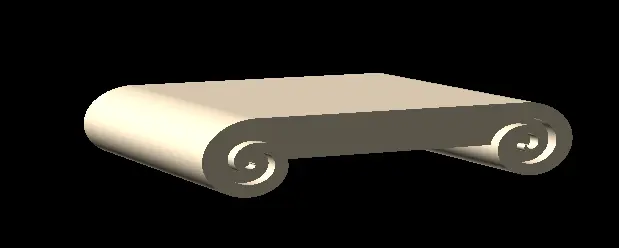
dual_spiral_section
Ionic style top column spiral detail
- usage:
dual_spiral_section(extrude, start_radius=0.1, step_size=0.1, radial_growth=0.0003, start_thickness=0.1, thickness_growth=0.0001) - example:
dual_spiral_section(0.05)
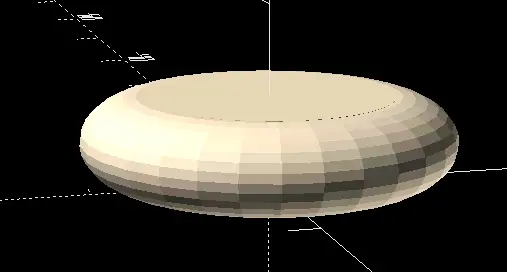
rounded_circle_slab
Cylinder with round overhang
- usage:
rounded_circle_slab(height) - example:
rounded_circle_slab(5)
Examples
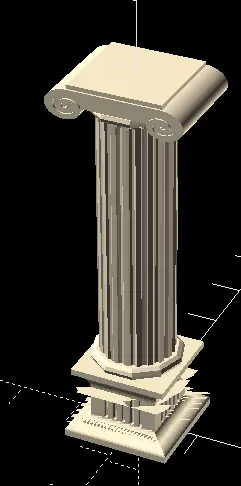
Note: The following images are screenshots from the editor preview, which may contain visual artifacts. When properly rendering the models, these will not be visible.
Also, the previews were generated using $fn=10, if you want the shapes to be more rounded, set it to 30 or larger ✨
Iconic Ionic
square_section(1)
convex_bezier_square(1, 0.1, 0, 90, 1/3, 1/3)
concave_bezier_square(1, 0.1, 0, 90, 1/3, 1/3)
detailed_square_section(5,"round", 0.2, 5, round_bottom=true, round_top=true)
concave_bezier_square(3, 0.2, 20, 90, 1/3, 1/3, flipped=true)
square_section(1)
scale([0.8,0.8,1])
rounded_circle_slab(2)
detailed_circular_section(40, 20, 0.1, round_top=true, round_bottom=false)
rounded_circle_slab(2)
scale([1.2,1.2,1])
dual_spiral_section(0.02, radial_growth=0.0004, thickness_growth=0.00015)
square_section(1)
Rounded
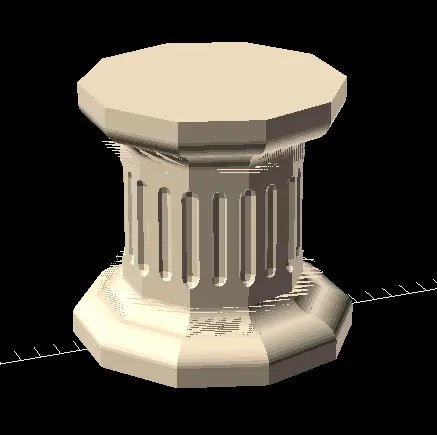
circular_section(1)
convex_bezier_circle(1, 0.1, 0, 90, 1/3, 1/3)
concave_bezier_circle(1, 0.1, 0, 90, 1/3, 1/3)
circular_section(1)
detailed_circular_section(5, 20, 0.1, round_top=true, round_bottom=true)
circular_section(1)
concave_bezier_circle(1, 0.1, 20, 90, 1/3, 1/3, flipped=true)
convex_bezier_circle(1, 0.1, 0, 90, 1/3, 1/3, flipped=true)
circular_section(1)
Cuboid
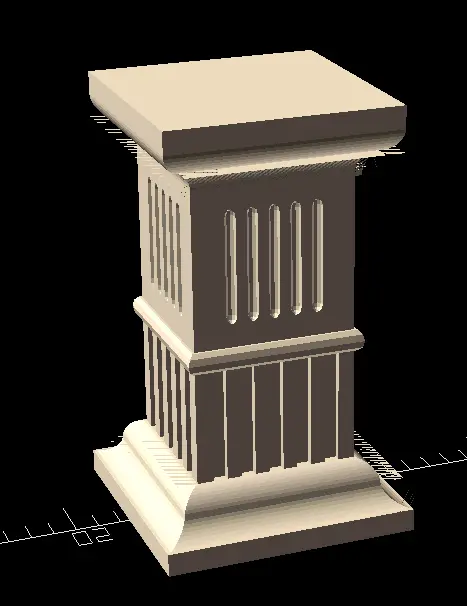
square_section(1, fact=0.8)
concave_bezier_square(1, 0.1, 0, 90, 1/3, 1/3)
convex_bezier_square(1, 0.1, 0, 90, 1/3, 1/3)
detailed_square_section(5,"square", 0.1, 5)
rounded_slab(1)
square_section(1)
detailed_square_section(5,"round", 0.2, 5, round_bottom=true, round_top=true)
square_section(1)
concave_bezier_square(1, 0.1, 20, 90, 1/3, 1/3, flipped=true)
convex_bezier_square(1, 0.1, 0, 90, 1/3, 1/3, flipped=true)
square_section(1)
Links
The model and source files are licensed under CC-BY-SA 4.0