Melon Video Player
August 8, 2025Over one and a half years ago, I started working on Melon,
my own video streaming client.
I made the last change on the project over two months ago,
but it’s been over a year since the last release.
Now I’ve decided to stop development indefinitely,
but not without saying goodbye to it.
Origin
Melon was born from me wanting to daily drive postmarketOS on my OnePlus 6T and feeling that the only thing missing for my setup was a proper, mobile-friendly YouTube client that was as feature-rich as NewPipe.
For me, a video client not only has to have a home feed that shows the most recent uploads by the creator I follow
and allow me to search videos and channels.
But also provide a means of playing back videos and playlists and store my playback position.
I explored other options such as Pipeline, using the Invidious web app directly,
or following channels using their RSS feed.
But none of these provide the features I need or come close to my NewPipe experience.
What is Melon
As you probably have guessed by now, Melon tries to achieve all of these goals by basically replicating exactly what NewPipe does on Android.
It is a video streaming client built using GTK4 and libadwaita and written in Python.
It supports searching for videos, channels, and playlists from multiple different services (including Invidious);
managing playlists and subscriptions (local only); and playing back videos and playlists using the built-in video player.
Support for different streaming services is provided by plugins (also referred to as servers).
During its life cycle, Melon only ever officially supported Invidious, PeerTube and Nebula.
Although Nebula requires login details, it was thus disabled by default.
The design of the plugin system was heavily inspired by the Komikku plugin model,
from which I took a lot of code.
Features & UI
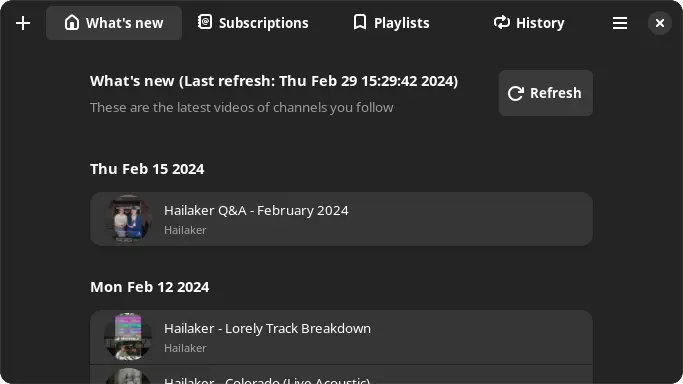
The UI is made to resemble NewPipe in terms of layout, as my brain is very used to how things work and the flow of interactions and gestures.
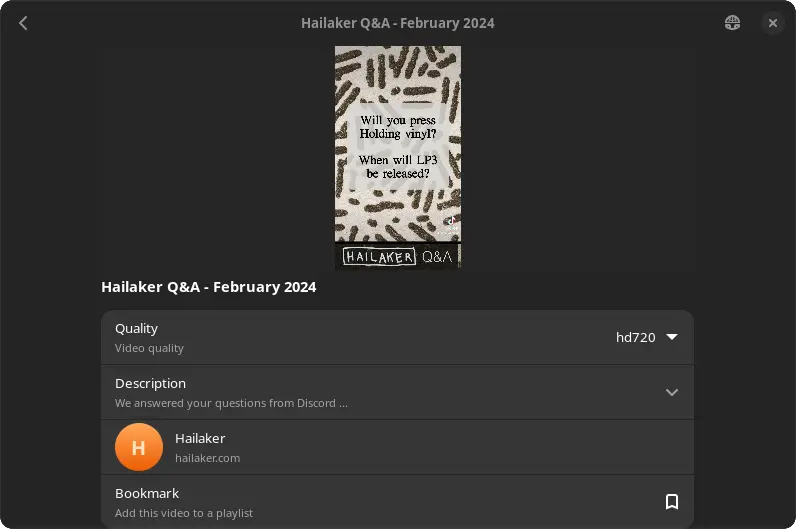
I’m so used to the gestures that I even wrote my own media player UI, with support for brightness and volume swipe gestures, as I can’t live without them.
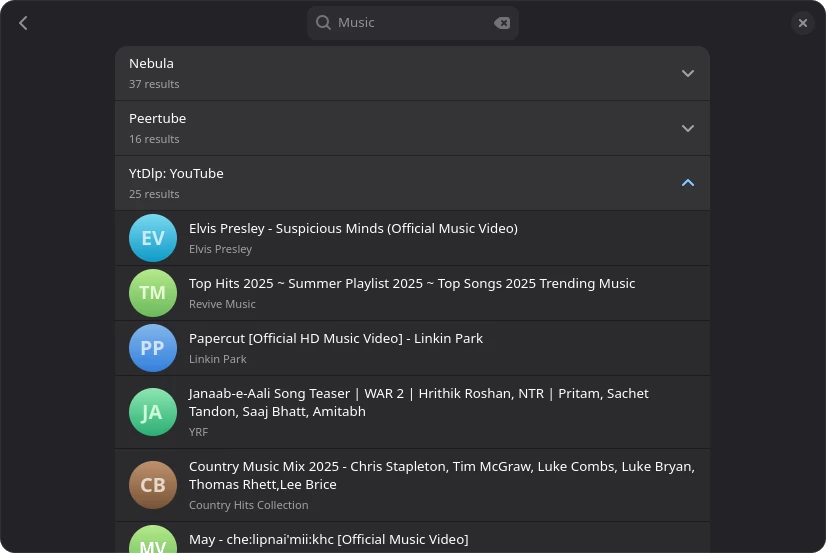
With the support for multiple streaming services also comes a global search feature, which allows searching for content across all streaming services at once.
When browsing for content, you have the option to select the streaming service you would like to browse.
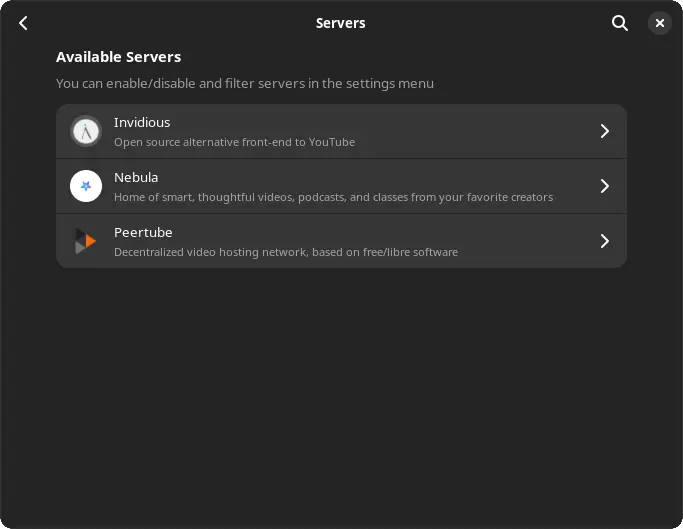
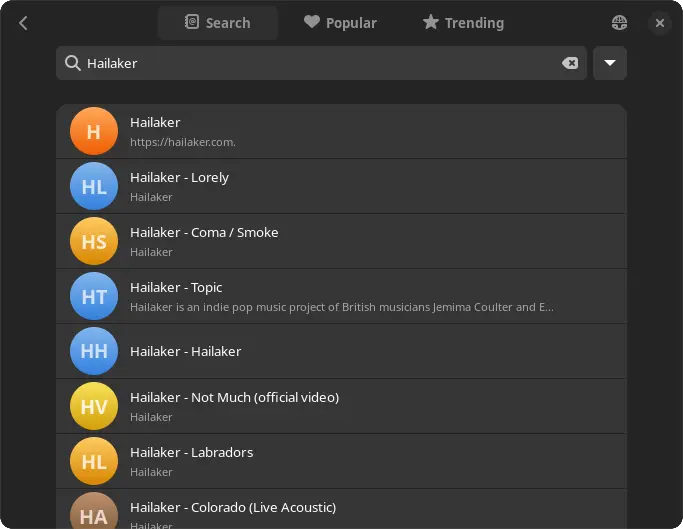
If you select a streaming service, you then have the option to either search for content.
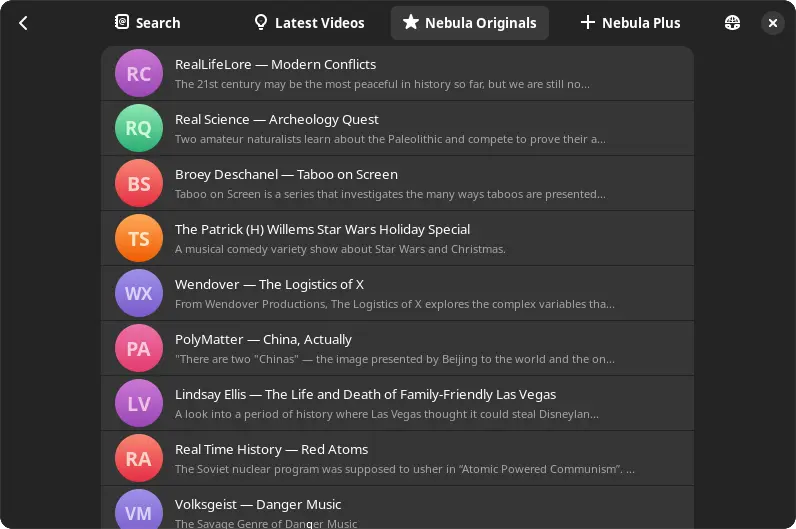
Or you can browse server feeds, which depend on the streaming provider.
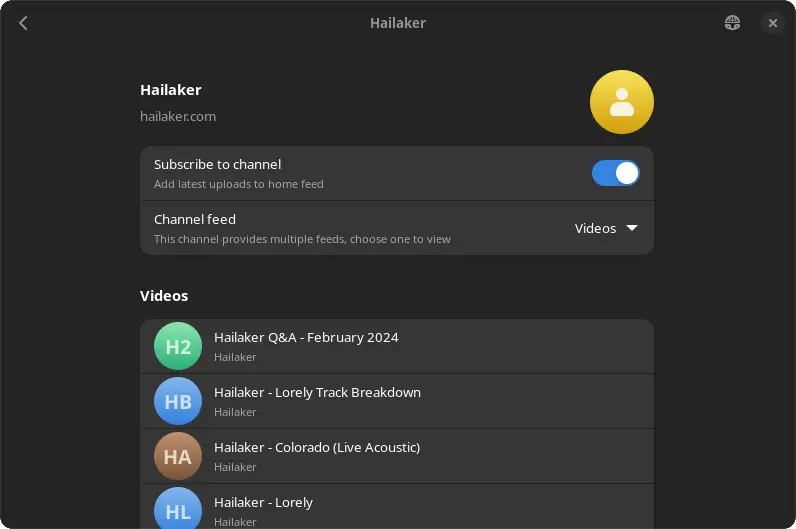
Subscribing to a channel is as easy as flipping the follow switch, which is also how you bookmark external playlists.
Of course, you can also create your own local playlists and add videos to it.
I personally use this to keep track of videos I plan on watching later
or to bookmark DIY videos.
You can even collect videos from different streaming services in the same playlist.
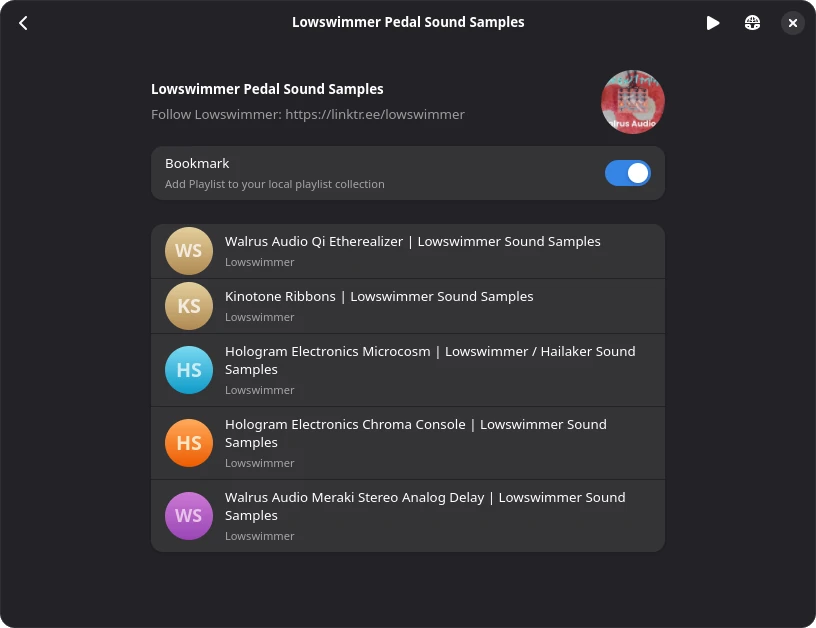
Both local and external playlists allow automatic playlist playback, where the player continues with the next video once the current video has finished playing.
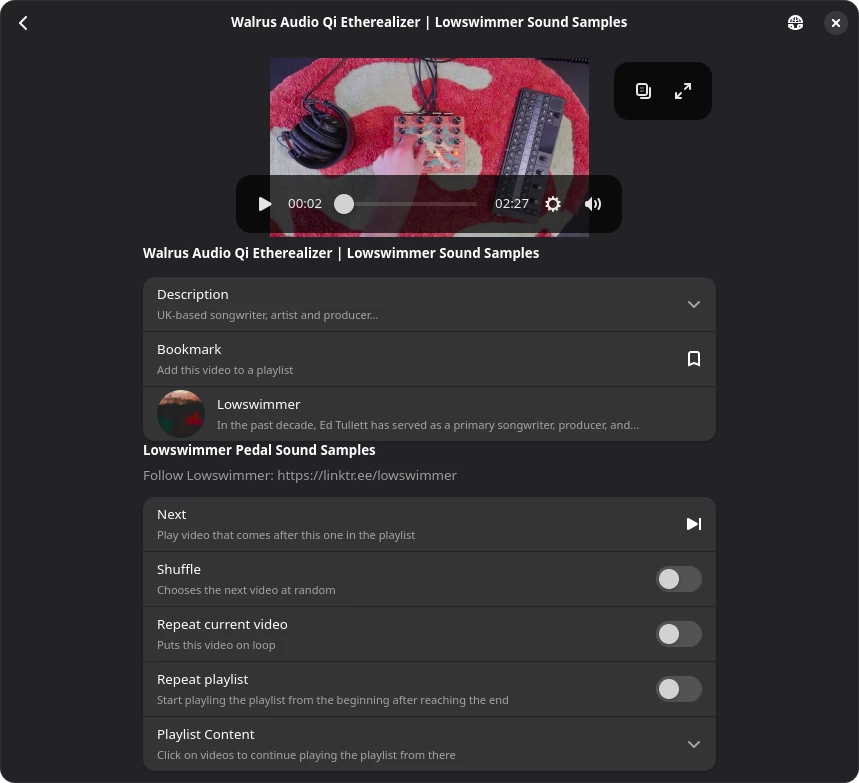
Video playback tracking is one of the many features that were added later, once I added the custom video player,
which I mentioned earlier.
Besides being used for playlist playback, it also allows keeping proper track of the playback history
and allows you to continue watching the video you last watched if you haven’t finished watching it yet.
Problems
Initially, Melon only supported Invidious, with Nebula and PeerTube support being added not short after.
Relying on Invidious is one of the strengths of Melon if you don’t want to query YouTube directly;
however, it is also its greatest weakness.
Over the last months and years, YouTube has been cracking down on third-party YouTube proxies,
like Invidious, which is why most public instances no longer work, breaking YouTube support for Melon.
In an attempt to fix this, I started working on a Piped backend. Which I abandoned after a couple of hours because most Piped instances don’t work properly for me either, and the API kept rate limiting me if I even managed to find an exposed API server. Not to mention their API docs.
Following this, I began implementing a youtube-dlp backend, which,
while slow, should work fine as long as youtube-dlp is updated (and keeps their API stable).
However, with almost no time to work on Melon for the last three months,
this sat on ice for quite a while, and some parts of the implementation no longer work - already.
I’ve been planning on sunsetting Melon for a couple of months now;
while I really like the idea and design of it, I just don’t have the time for it, nor a use.
And that is ignoring the messy python codebase.
Only a couple of months after starting the work on Melon, I migrated back from postmarketOS to Android
because I just have to use some Android apps that don’t make sense to run in a sandbox (if possible at all).
Making things worse is that my Chromebook (which I use for on-the-go development) is unable to properly play videos
because of some Mesa issues.
Saying Goodbye
Working on Melon has been amazing;
seeing something come to life, something I actually like is soo cool.
For example, the volume and brightness gestures.
I use them every time just because it is so much more intuitive on a touchscreen.
Sadly, most things won’t last forever,
and the bugs and maintenance work just outgrew the time I have available.
If you are still looking for a YouTube client for Linux, check out Pipeline,
which gained an inbuilt video player this year.
Future
Sometimes I think about starting Melon from scratch, and while I certainly don’t have time to do so right now, I would love to implement some new ideas.
Most importantly, separating data scraping from video playback.
As this would allow you to discover videos using Invidious, but get the stream details using youtube-dlp,
which would significantly improve search speed while still giving you the best streaming experience.
It would also be more resistant against proxy services shutting down, as you can just play the video using a different supported streaming backend.
But for now, I’ve archived the Melon repository1 and would like to thank everyone who contributed feedback or translations for their work.
You can still download the source, but I don’t plan on publishing updates for the time being. Issues and PRs have also been disabled. ↩︎