Precious Blocks: Status Update 2025Q4
December 17, 2025I find it very interesting how there are projects
you start but never quite finish, as you eventually lose the motivation to work on them.
And then there are projects that you can’t stop working on. They pull you in, grasping your attention and motivating you in a way you might not be able to describe.
I’m not sure how I end up placing projects in one of these categories, but Precious Blocks is almost certainly in the latter.
There is still so much I want to do, and after daily driving my block for two weeks, I’m even more excited.
Unfortunately, I’m currently feeling a little burned out, like, in general.
The entire project is sort of taking longer than I originally expected,
mostly because there is so much cool stuff I want to incorporate.
My plan is to take a break over Christmas and continue working on this project in the new year.
To those people who know me: Yeah, I know, I probably won’t wait ’till the new year.
But I wanted to get this revision out as soon as possible so I can take a break without a half-finished version sitting around, on my desk, staring at me.
With that out of the way, let’s check out all the cool stuff I worked on since the last update.
About
Uhh wait - some of you might not have read the Introduction post and might not know what Precious Blocks is.
Precious Blocks is my latest passion project that evolved into this cute toy companion, which you can take with you all day and use to play games or do useful stuff, like checking the weather.
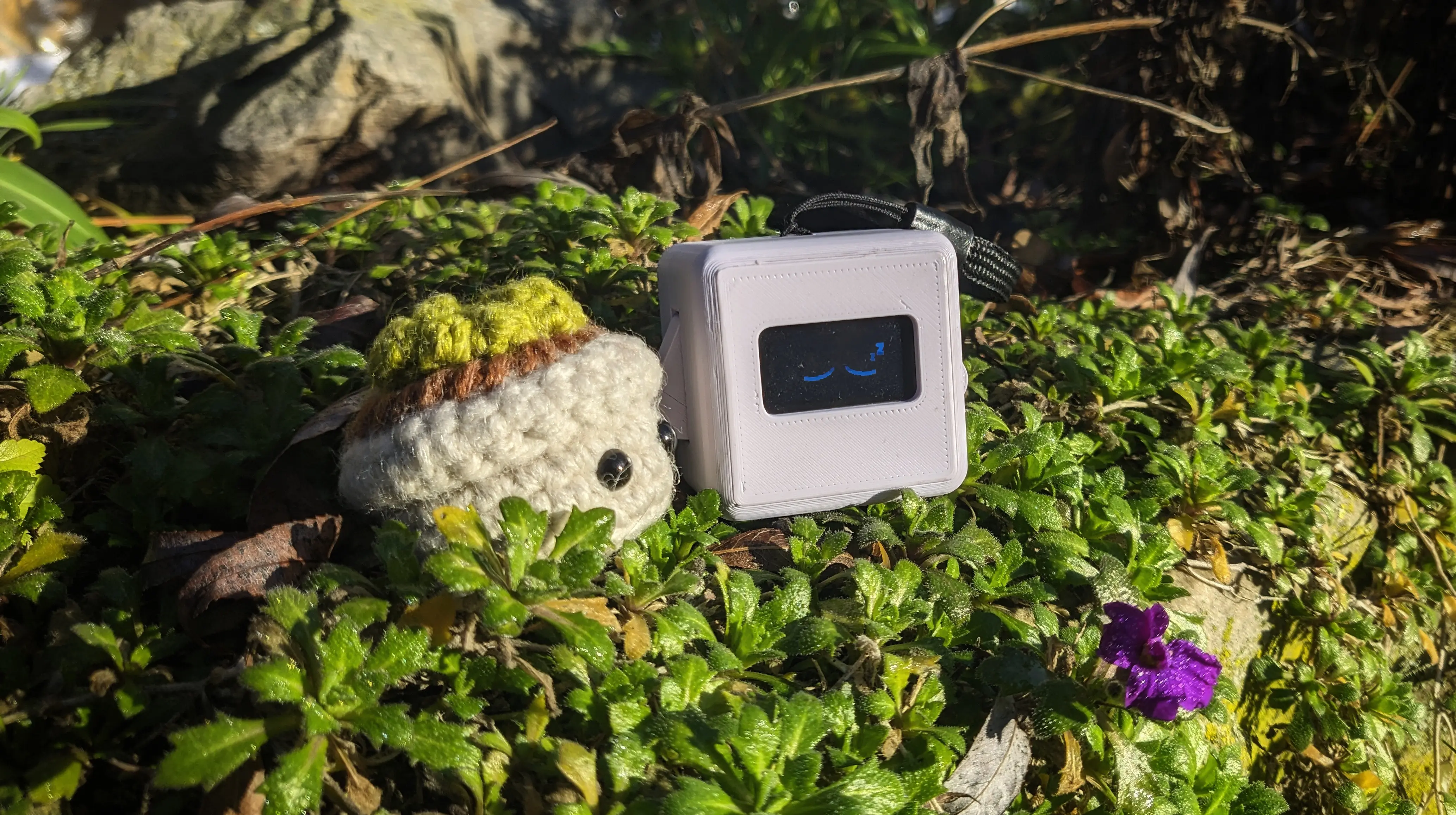
The software is written from scratch and published under an open-source license, allowing anyone to audit it or contribute to it.
The hardware is based around widely accessible parts, and the hardware design files are also open-source, allowing anyone to make their own Precious Block
or contribute to the design.
Structure
Shortly after releasing the initial announcement post,
I moved all the project components into their own Codeberg organisation.
This is mostly meant as a long-term way to make OTA updates easier, as I can separately tag the firmware and hardware versions.
But in my opinion it also symbolises that the project is meant to be open and made for the community.
Docs
I also decided to move all the available documentation into a single repository.
This new docs page is supposed to document the stable version and its features and not the latest development version. It might also lag behind while I try to make time to update it.
I’ve decided to split the book into three chapters: a user guide, a tinkerer guide, and a developer guide,
to make it easier for people to find the material they are interested in.
Idealy, I would also want it to be less technical and more focused on the end user.
In the long run, I would also like to set up CI to automatically deploy the exported mdbook to Codeberg Pages.
But I just haven’t had the time to set up a Forgejo runner yet.
Hardware
Most of my recent work on Precious Blocks has been focused on updating the hardware, getting it closer to a final design.
This includes swapping out the old Waveshare ESP32-S3 Zero with the SeeedStudio XIAO ESP32-S3 (Super),
which not only has larger flash storage and PSRAM but also has an integrated battery charging circuit.
A battery? You might ask.
YES! Precious Blocks now includes a battery, allowing you to take it with you without having to keep it plugged in all the time.
Some of you might know that the ESP has its own clock module, which can be used to provide accurate timekeeping.
Unfortunately, the battery doesn’t last all that long (about 2-4 hours active use, maybe 12 hours in standby mode),
so the block would lose the current time.
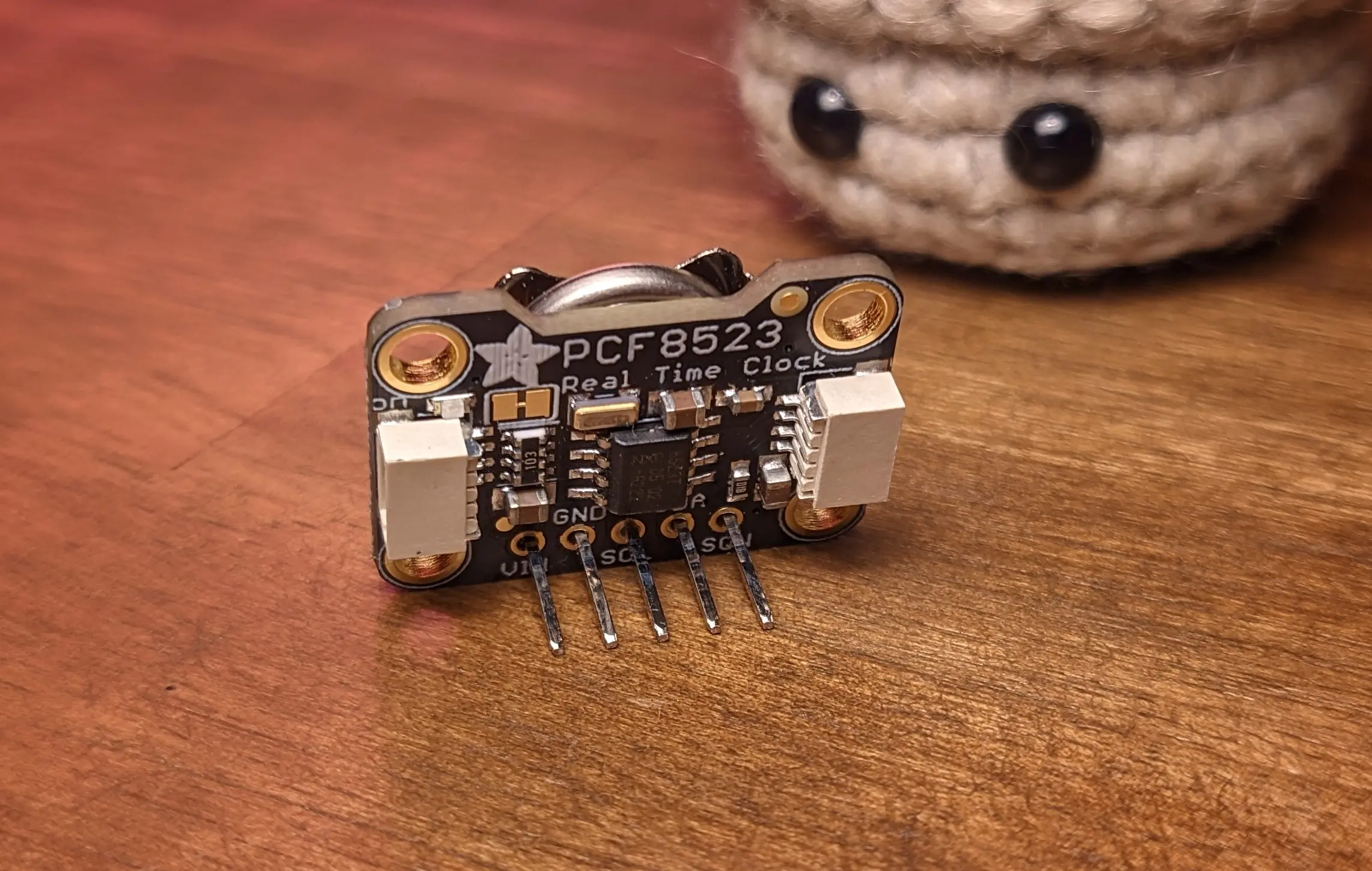
To circumvent this, I decided to include a separate real-time clock (RTC) module, which is powered by a separate CR1220 battery and should last over a year.
That way, your block can safely sit around without being charged, while still keeping the clock up-to-date.
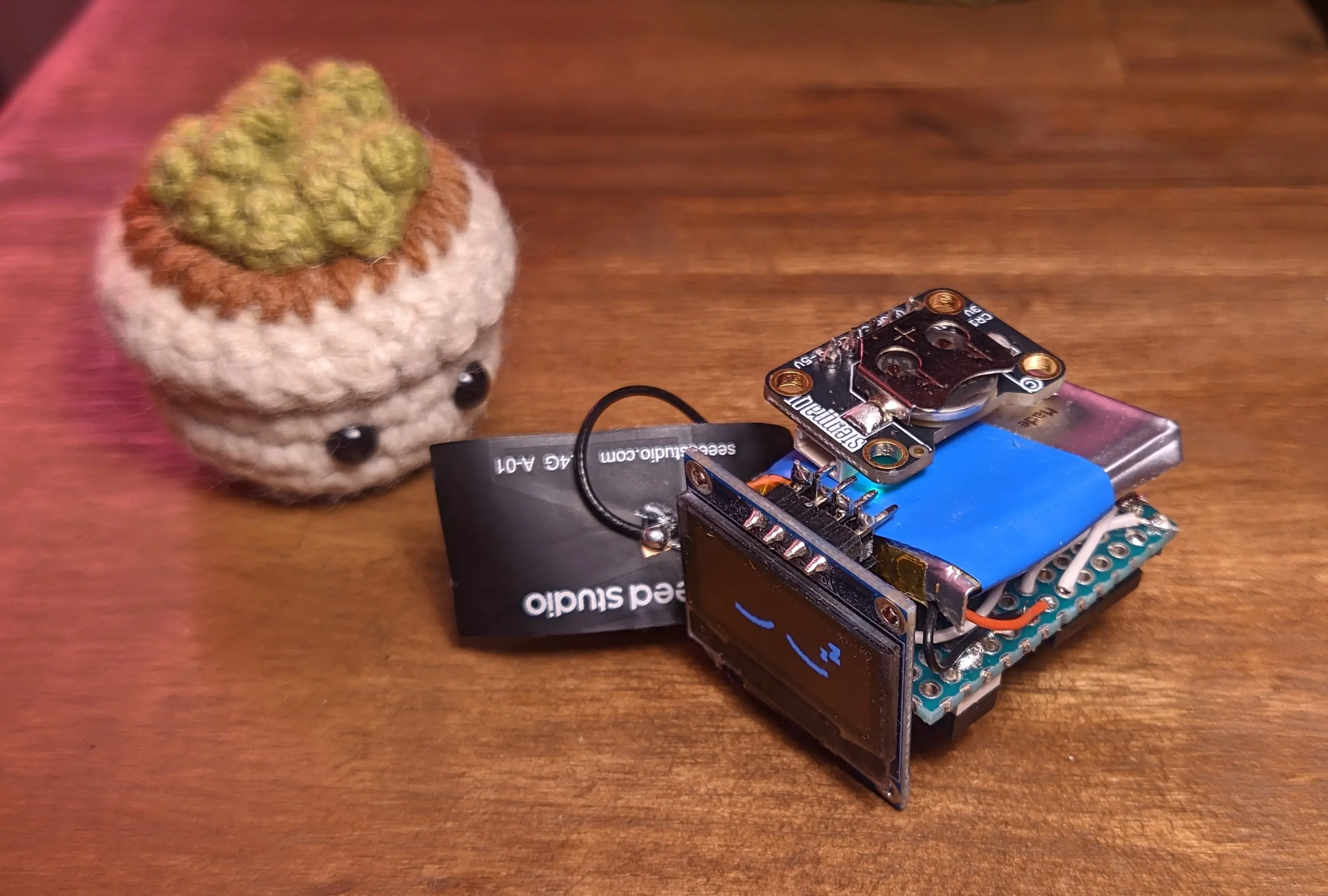
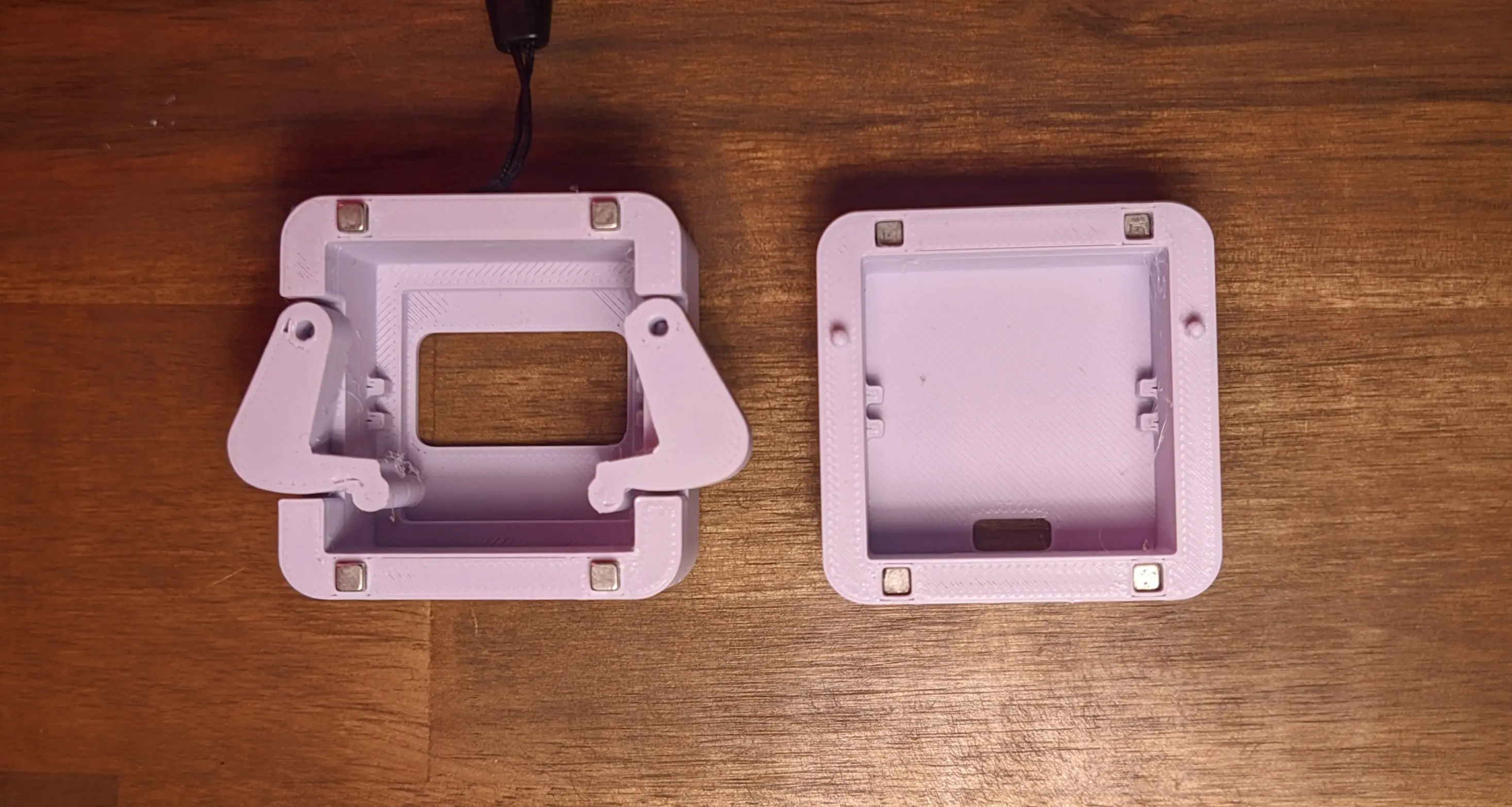
To be able to accommodate the battery and new clock module, I had to redesign the internals and decided to move everything onto a single protoboard. I decided to add all important components to sockets, including the display, the new clock module, and the ESP itself. This should hopefully make it easier to move the components between different iterations of the protoboard without them going to waste in a new hardware iteration. It also makes assembly a lot easier, as you can simply slide everything into the case.
While we are on the topic of the case, I also redesigned the entire case using FreeCAD
to make it more accessible for people used to a “normal” modeling workflow.
As part of the redesign, I also added 3D-printed arm mounts, meaning you don’t need the additional metal or wooden rods, which were required for the older version.
The top also has space for a wristband loop now, so you can carry the block more easily.
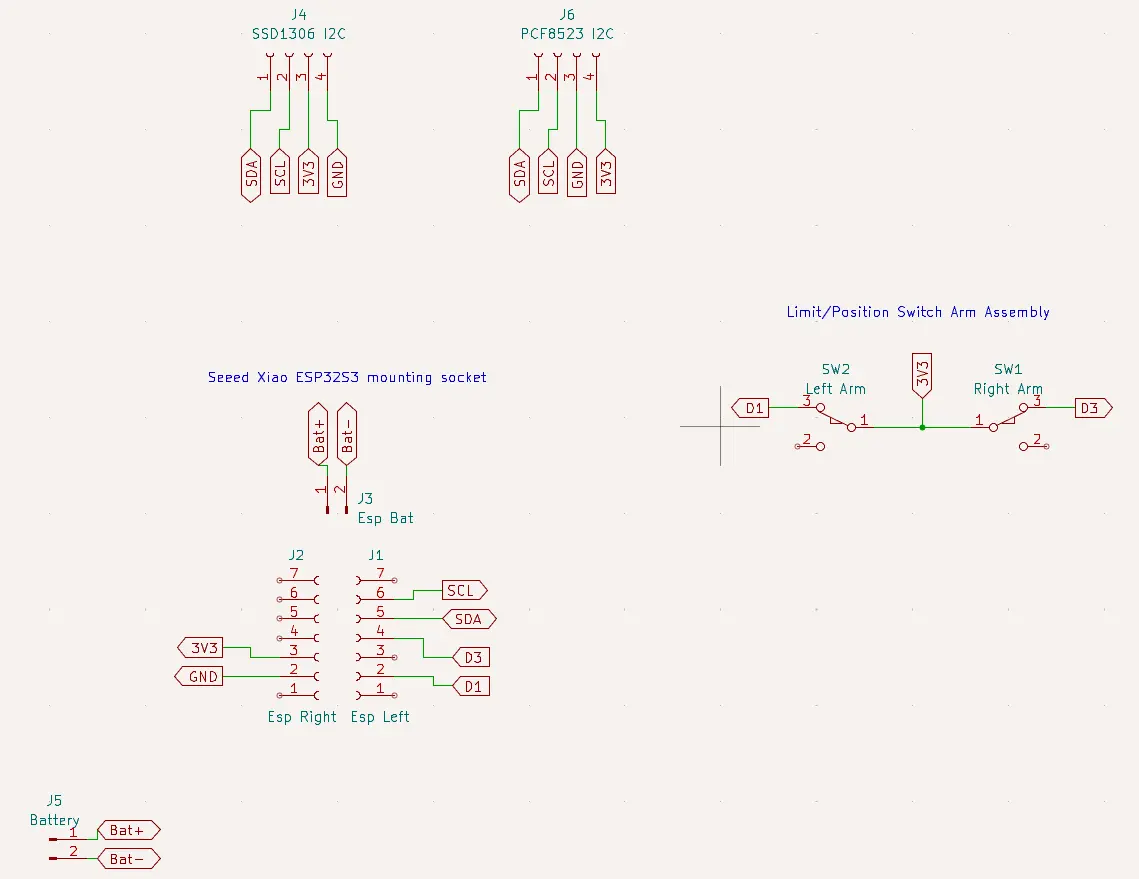
I’ve also designed KiCAD schematics and started working on a PCB prototype, but there is still a lot to do on that front. But it would be amazing to have a PCB you can order at some point.
Firmware
Besides updating the firmware to support the new hardware, not a lot has actually changed.
The clock applet has been rewritten to use the included RTC for getting the time.
Whereas the time was network-synced before, you can now change it in the settings menu,
making the block more useful without the companion server or an active internet connection.
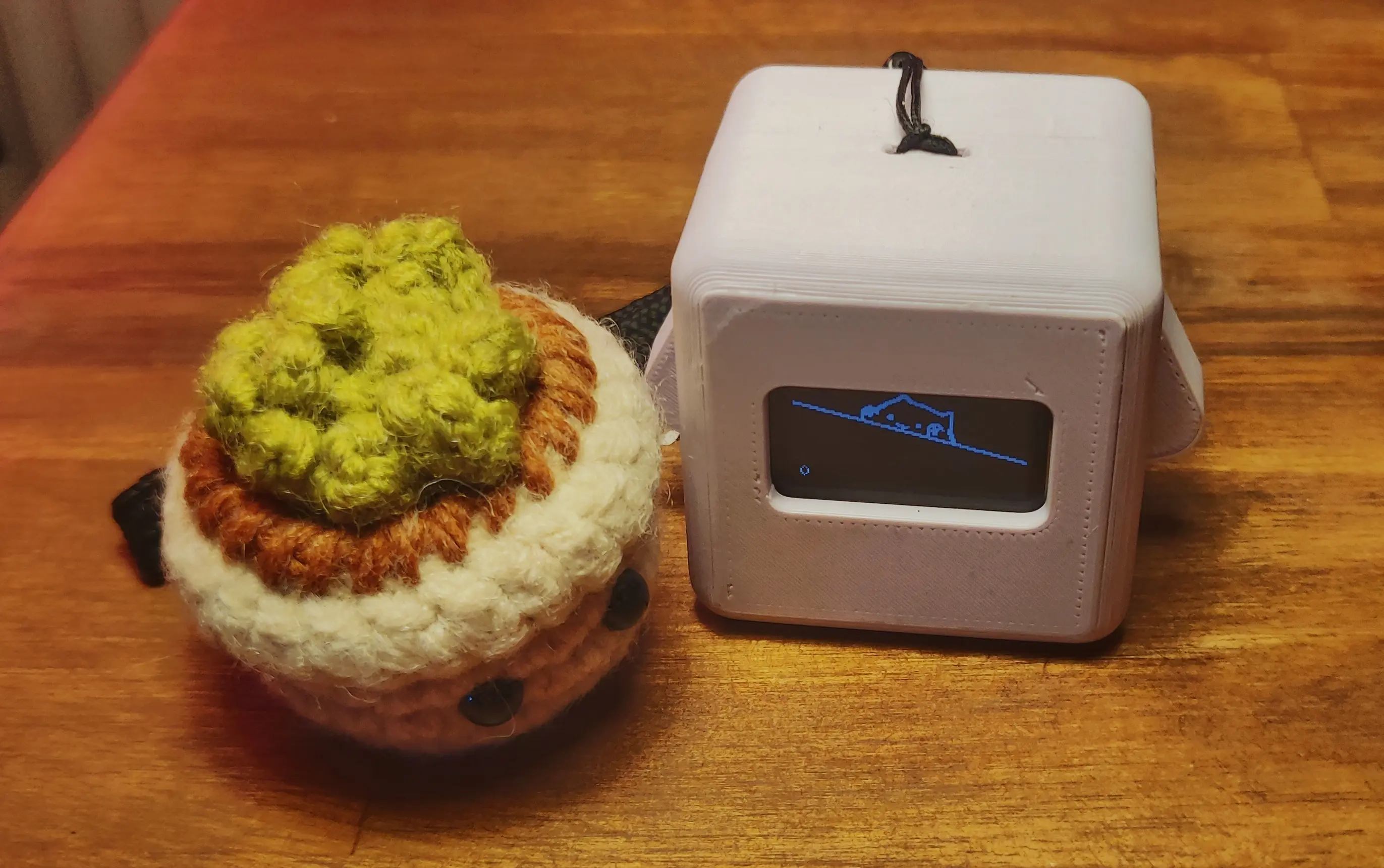
In terms of games, I added two BongoCat-inspired games, which have already proven to be my friends favourite games.
You have a reaction-time track game, where you have to press the indicated arm for as long as indicated.
And a clicker app, where the cat just flaps its arms corresponding to which arm you press.
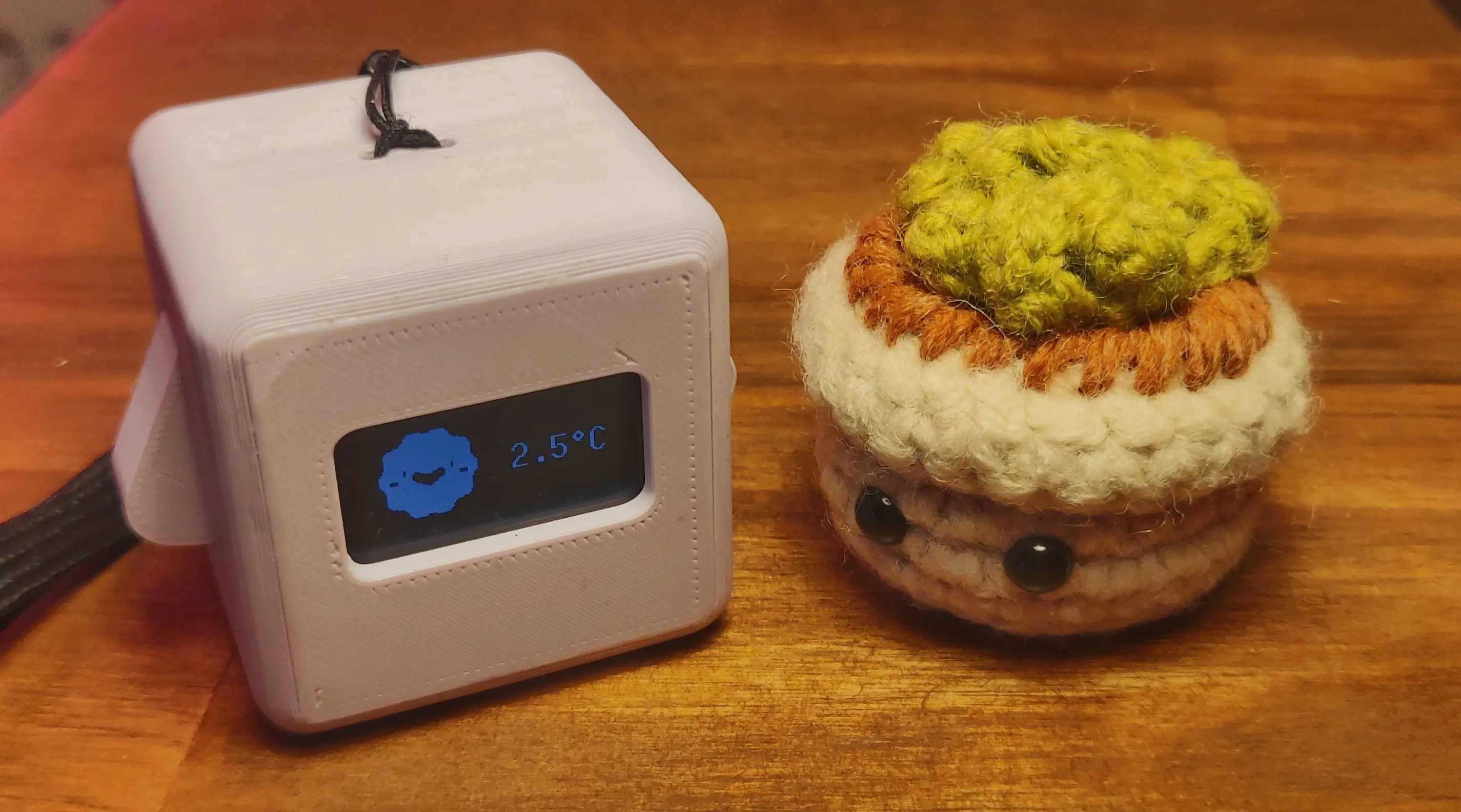
I also rewrote the weather applet to fetch forecast data and store it locally,
so you can check the current weather for a couple of days in advance without reconnecting to the internet.
This is a big step in reducing dependency on network connection in the long run.
Future
I might not have covered everything that changed in this post, and I also tried to skip over some technical details. If you are interested in the more technical side, check out the source repositories on Codeberg or hit me up on Fedi or via email.
As I explained in the beginning of this post, I’ll be taking the rest of the year off - or at least, that is the goal.
If you’ve kept an eye on the repositories, you might have noticed I started working on the next feature.
Something that occurred to me while daily driving Precious Block for two weeks is that it is missing feedback for non-user-triggered actions.
Which is why I’m currently working on support for a vibration motor.
In the long run, I would like to add an alarm feature, which is why I’m currently experimenting with different vibration patterns.
In the past, I also experimented with adding a voltage divider circuit to monitor the battery voltage.
I removed this before releasing the 0.3.0 version, as the readings weren’t really useful and I never used the feature during the two weeks.
One of my friends also suggested adding a tilt sensor (or gyro) to show a cute 😵💫 expression if the block is upside down.
I currently favour the tilt sensor as it can be integrated into the deep-sleep wake cycle more easily and should use less battery overall.
On the software side, I still have to improve various things, like improving the device setup process.
I also thought about switching to a Bluetooth stack, as it would allow syncing calendar events, alarms, or the current time with your phone.
However, it would probably also require a custom app to sync weather data, and I’m not sure if it is worth it.
As I touched on in the hardware section, I would also love to have a PCB design you can order, but I would like to finalize the entire hardware design beforehand.
Honestly, unless something big happens, I don’t think I’ll be dropping the project anytime soon.
In fact, I think Precious Blocks is just getting started.