Pusheen Flag Generator
March 12, 2025A couple of days ago, I stumbled upon a Pusheen Signal Sticker pack I hadn’t seen before.
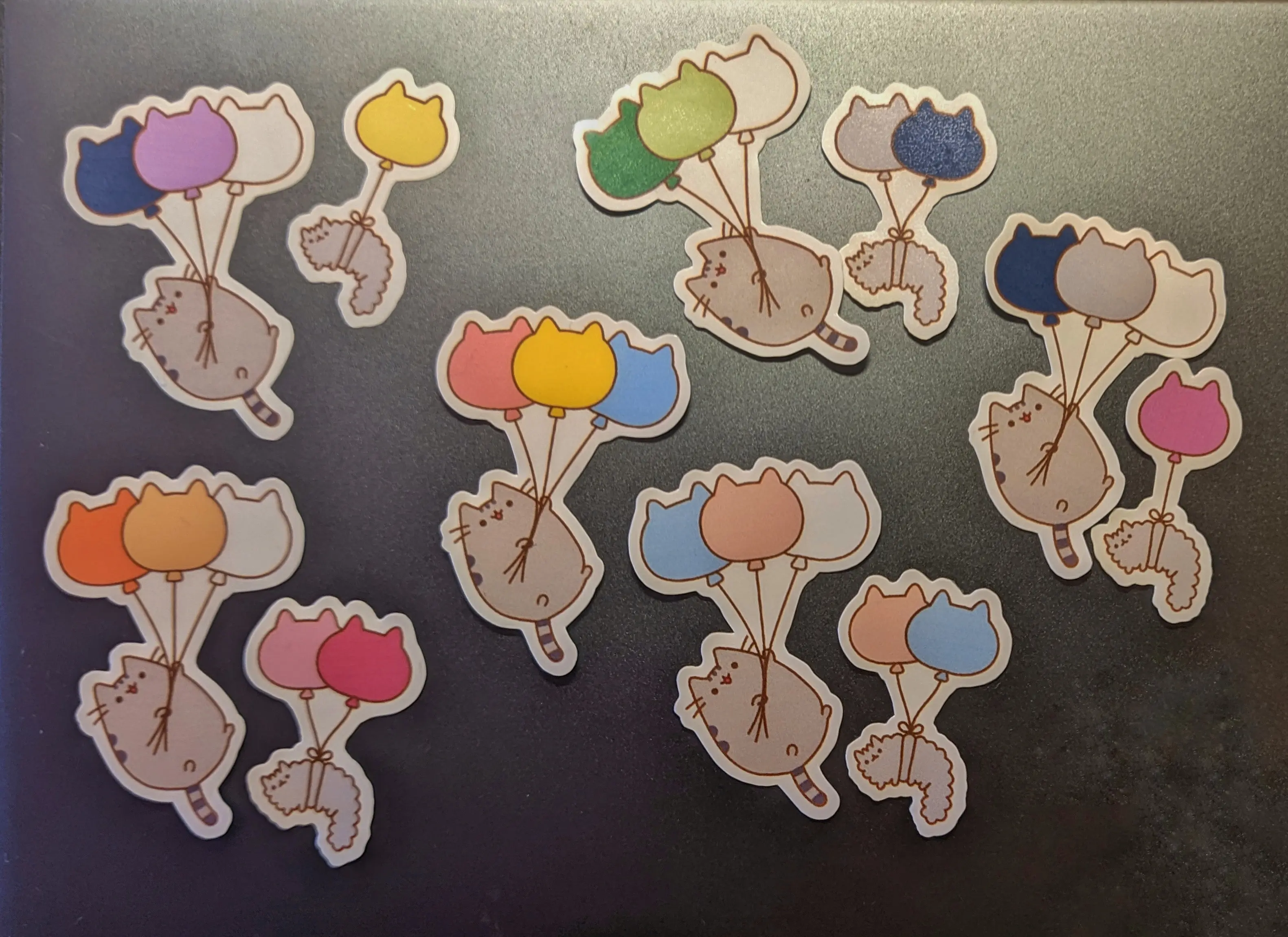
This sticker pack contains a sticker where two cat are shown floating using balloons.
After copying the sticker to the sticker sheet I was working on,
I noticed that the larger cat almost matched the pansexual flag.
You know what I had to do…
Well, I originally tried replacing the colors using both GIMP and Krita.
Unfortunately, the results were pixelated and I didn’t really like them.
So I did what any sane person would do: I spent the evening remaking the stickers as SVGs
using Inkscape.
This was honestly really relaxing and a lot of fun.
Printing my custom pride stickers was pretty easy after that, as I was able to change the fill colors.
Earlier today, whilst trying to study for an upcoming exam it hit me, that instead of doing this by hand,
I could simply build a website that changes the fill color.
A website that allows the user to easily add and remove cats and change the balloon color.
And this is how Pusheen Flag Generator was born.
Before we get into this post, I just wanted to make it clear that this project is not officially connected to or endorsed by the Pusheen Brand. You can find the official Pusheen website here.
How to use it
When you open the website, it will come preloaded with the six-color-pride-flag.
You then have the option to remove all existing cats using the trash button,
or to modify the existing colors by clicking the color swatches
or the balloon directly.
You can also move the cats around by using the arrow buttons.
The X button allows you to remove a single cat.
You can use the drop-down on the top left to select a new cat variant and use the plus button
to add it at the end.
As of writing, there are three variants:
- A large cat with three balloons
- A small cat with two balloons
- A small cat with one balloon
You can modify your newly added cat exactly as you would with the preloaded cats.
Once you have selected all colors of your choice, click the download button for every cat,
to download vector graphic files for every single one of them.
Afterwards, you can use a tool like GIMP or Inkscape to convert the .svg into a .png
or any other file format at any resolution you like.
If you are working on a sticker sheet, you can probably import the .svg directly into whatever software you use
(I use Inkscape) and arrange them for printing.
The tech
The website uses plain JavaScript, which makes it possible to serve the source files directly using Codeberg Pages, without having to run a build CI.
The JavaScript code contains a list of the available cats with balloons and the possible configuration options
for each of them.
When adding a cat, the code loads the .svg vector graphic and adds it to a wrapper element.
It then selects the balloon group and changes the fill color of the child nodes to the default color.
Afterwards, it adds the node to the DOM.
The same function also generates the configuration nodes below the preview.
When the color input element changes its value, it calls the same function used above to change the fill color
of the specific group.
The entire system is implemented without a global state, meaning that I’m relying on the node itself and the DOM
for all manipulation, including the position operations.
Instead of rebuilding the entire list again when the position changes, I do some removal and insertion operations,
to swap the nodes.
Luckily, the download operation is fairly easy, as I can simply construct the data URL from the SVG source and download it.
Future
I have a couple of things I would love to add to this tool, before I move on to something new. Some of the things include:
- Customizing the outline color (it is currently always set to white)
- PNG export (for the entire flag group and the single cats)
- Flag presets (Maybe even the option to save your own presets or import them)
- Support for external stickers
I’m not sure if I will get around to adding all of these, but I’m certain that if I use the tool for more stickers in the future, I will add features that make working with it easier.